There is a moment most BIM coordinators and architects know well. You are building out a Revit model, everything is moving along, and then you need a specific component. A custom curtain wall bracket. A non-standard door configuration. A piece of MEP equipment the manufacturer never provided a decent family for. You search the library. Nothing fits. You download something generic and spend an hour trying to make it work. It does not. The model suffers for it.
This is exactly the problem that professional Revit family creation services exist to solve. And if you are running BIM workflows on serious projects, it is worth solving properly.
What Are Revit Families and Why Do They Matter?
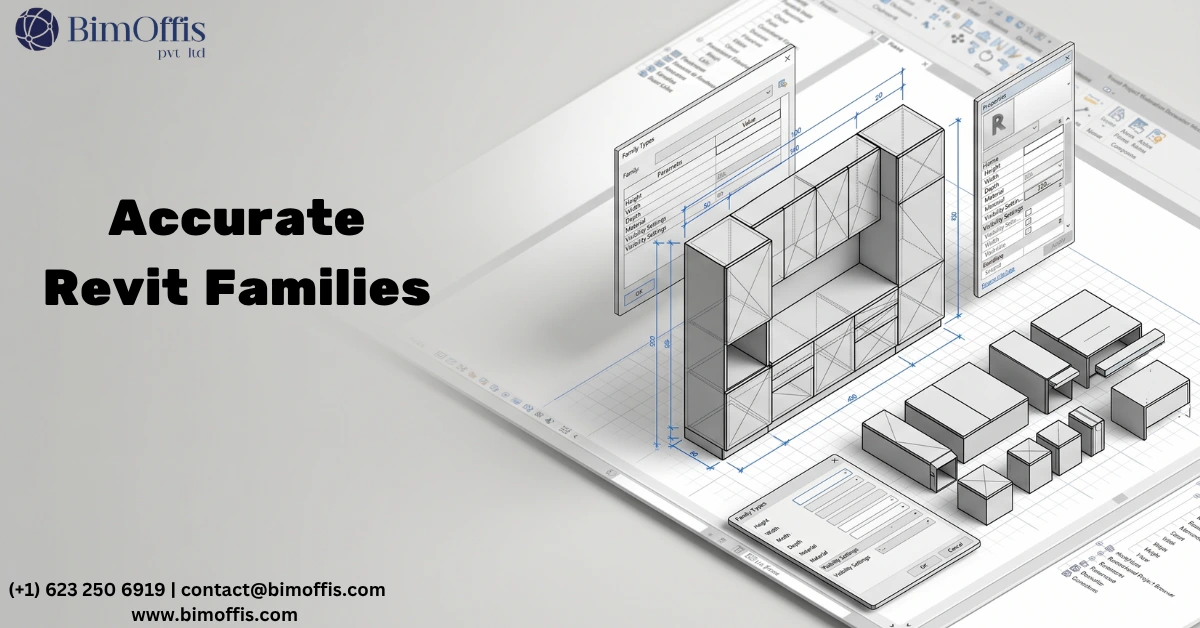
In Revit, a family is any component you place into a model. Doors, windows, furniture, structural connections, light fixtures, plumbing fittings, equipment, you name it. Every object in a Revit model is a family of some kind.
The quality of those families directly affects the quality of the model. A poorly built family causes coordination problems. Furthermore, it throws off schedules and quantities, creates clashes that should not exist, and produces drawings that do not reflect the actual design. A well-built family, on the other hand, does the opposite. It behaves correctly in every view, carries accurate data, and makes the whole model more reliable.
That is not a small thing. On a large commercial project, the difference shows up everywhere, in clash detection, material takeoffs, construction documentation, and handover data. As a result, a model built on accurate custom families performs very differently from one patched together with generic downloads.
What Revit Family Creation Services Actually Cover
Professional Revit family creation services handle the full range of component types that projects need built properly.
Architectural Families
Architectural families cover elements that define the building’s character. Custom doors and windows with correct parametric behavior, wall types with accurate layer composition, curtain wall systems, ceiling components, and specialty elements that standard libraries do not carry. These are the families that show up in almost every view and in almost every schedule, so getting them right matters enormously.
Structural Families
Structural families include steel connections, custom column and beam profiles, foundation components, and structural details. These need accurate dimensional and material data for coordination and documentation to work correctly. Without that accuracy, the coordination that runs against the structural model is working from inaccurate geometry.
MEP Families
MEP families are often where generic libraries fall shortest. Equipment families for HVAC units, pumps, panels, and fixtures need accurate geometry for spatial coordination. They also need correct connectors for system modeling. Consequently, a poorly built MEP family creates clashes that waste coordination time and undermine the value of the whole coordination process.
Furniture, Interior, and Manufacturer-Specific Families
Furniture and interior families matter more than people sometimes acknowledge. On fit-out and interiors projects, furniture families with accurate dimensions and finish data make space planning and documentation far more reliable. Additionally, manufacturer-specific families fill a real gap. When a project specifies particular equipment or products, an accurate family for that product, with correct geometry, data, and connector types, is far more useful than a placeholder that approximates the real thing.
The Real Cost of Getting Families Wrong
Here is something that does not get discussed enough. The cost of bad Revit families is not just the time to fix them. It is everything downstream.
How Problems Compound Across Phases
Clash detection runs generate false positives because an MEP family sits 50mm too wide. Quantity schedules pull incorrect data because a family’s parameters were not structured properly. Shop drawings go out with dimensions that do not match because the family geometry was not built to the right tolerances.
These are not hypothetical scenarios. They happen on projects regularly, and they are expensive to unwind. Moreover, the further into the project these problems travel before someone catches them, the more disruptive and costly they become.
Investing in proper Revit family creation services at the start, therefore, removes most of that downstream risk. The families work correctly from day one. As a result, the model stays coordinated and the documentation stays reliable throughout the project lifecycle.
What Good Revit Family Creation Actually Looks Like
Not all family creation work is equal. Here is what to look for when evaluating quality.
Parametric Flexibility Done Right
A well-built family does not just look correct at one size. It scales and adapts correctly across its full parameter range. Type and instance parameters follow a logical structure, so the family behaves the way the design team needs it to across every configuration the project requires.
Accurate Geometry and Data Structure
The 3D geometry should represent the real component accurately enough for coordination and clash detection. However, it should not be so heavy that it slows the model down. Good family creation finds that balance, accurate enough that the coordination means something, lean enough that the model stays performant.
Parameters, moreover, need consistent naming, the right data types, and clean connections to schedules. Good geometry with broken parameters is only half useful. Both need to work correctly for the family to serve the project properly.
View-Specific Representation and File Performance
Families should display correctly in plan, elevation, section, and 3D. Each view should show the right level of detail, full geometry in section where it matters, simplified representation in plan where that works better. In addition, heavy families slow models down significantly on large projects. Good family creation keeps geometry lean without losing the accuracy that coordination depends on.
Who Actually Needs These Services?
The honest answer is that most teams working on projects of any real complexity need them at some point.
Architecture and design firms using Revit as their primary BIM platform need custom families when projects include non-standard elements. Most significant projects do. Furthermore, building a bespoke family in-house takes time that project teams rarely have during delivery.
MEP engineers and coordination teams regularly hit gaps in manufacturer libraries. Custom family creation fills those gaps with components that actually work in a live coordinated model rather than creating coordination problems.
BIM managers and VDC teams building firm-wide content libraries need families built to a consistent standard. Accumulating content from various sources creates inconsistency that, over time, causes problems across multiple projects.
Contractors running BIM for construction coordination need families that reflect actual installed products. The model has to be accurate enough to support site work, not just look good on screen during a design review.
The Bottom Line
Revit family creation services are not an optional extra. They are a practical necessity for any project where the BIM model needs to do real work, coordination, documentation, scheduling, and handover.
The families in your model are the foundation everything else builds on. When they are accurate and parametric, the model works correctly throughout every project phase. When they are not, problems compound across every stage and become progressively more expensive to resolve.
Find a team that understands Revit families deeply, not just the geometry, but how families behave in a live project environment. That is one of the better investments any BIM-driven practice can make.
Need custom Revit families built right the first time? Get your free quote today.
Frequently Asked Questions from Clients
What is a Revit family and why does it matter in BIM?
A Revit family is any component placed in a model, and its accuracy directly determines how reliable your coordination, documentation, and schedules are.
How long does it take to create a custom Revit family?
A standard custom family typically takes 1 to 3 days depending on geometry complexity and parameter requirements
Can existing Revit families be edited or improved instead of rebuilt from scratch?
Yes, most studios can audit and fix existing families to correct geometry, parameters, or performance issues without starting over.
What information do you need to provide to get a Revit family created?
You’ll need to share product datasheets, manufacturer drawings, dimension specs, and any material or finish requirements for the component.
Will custom Revit families work across different versions of Revit?
A good studio will build and deliver families in the specific Revit version your project runs on to avoid compatibility issues.
Can Revit families be built to carry COBie or project-specific data for handover?
Yes, families can include custom parameters structured to meet COBie requirements or any project BIM execution plan standards.