Let me start with something that experienced BIM coordinators and Revit users know from painful experience.
You find a family in an online library that looks like exactly what you need. After loading it into the model, it looks right in 3D. Then things start going wrong. The parameters do not work the way you expected. Scaling fails when you change a dimension. Schedules pull incorrect data because the parameters were not set up properly. The element does not display correctly in plan. Somewhere in the middle of trying to fix all of this, you realise that the family was never built properly in the first place.
This situation is so common in Revit workflows that most people working in BIM have a version of this story. And it points directly to why parametric Revit families matter so much in BIM projects, and why getting them right is worth the investment.
What Parametric Revit Families Actually Are
In Revit, everything you place in a model is a family. Walls, doors, windows, furniture, structural elements, MEP equipment, lighting fixtures, everything. A family is the template that defines what an element is, how it looks in different views, what parameters it carries, and how it behaves when those parameters change.
The Difference a Truly Parametric Family Makes
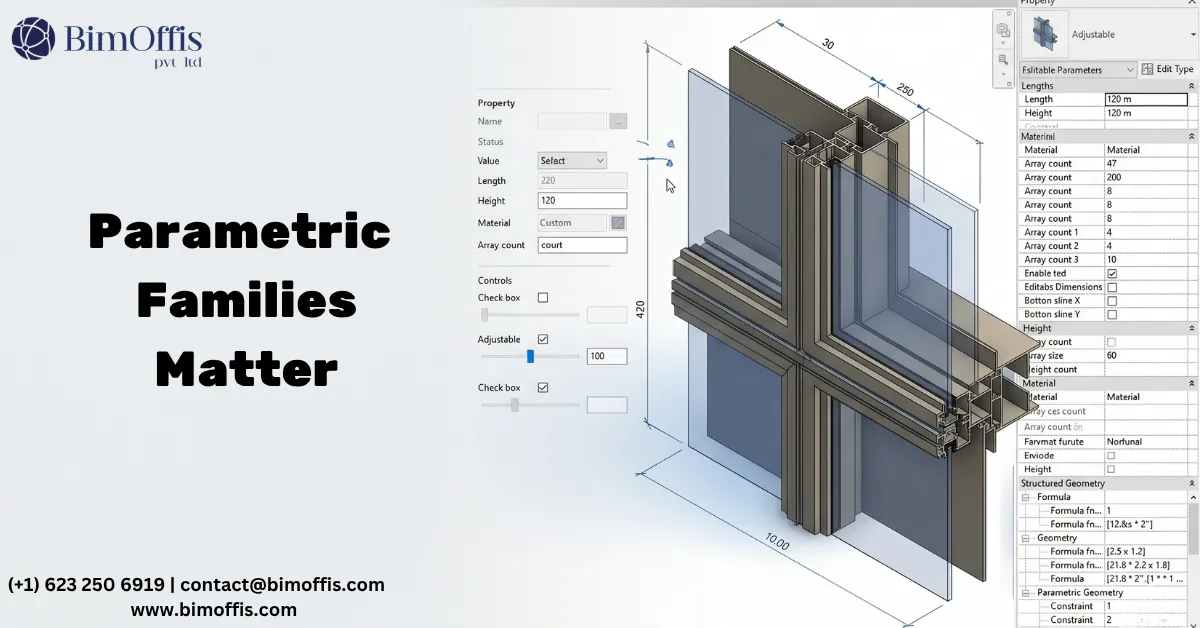
A parametric family is one where the geometry and the data respond intelligently to parameter changes. Change the width parameter on a parametric door family and the door gets wider. Adjust the height and it gets taller. As a result, the geometry updates, the 2D representation in plan and elevation updates, and the data in the schedule updates, all from a single parameter change.
This sounds straightforward. In practice, building a parametric family that actually does this reliably, across its full range of sizes and configurations, in every view type, with correct schedule data, without slowing down the model, is significantly more complex than it sounds.
The difference between a family that is parametric in name and one that is genuinely parametric in behaviour is the difference between a family that serves the project and one that causes problems throughout it.
Why Parametric Revit Families Matter on Real Projects
They Keep the Model Coordinated
A Revit model is only as reliable as the families within it. When families carry correct parameters and behave correctly when those parameters change, the model stays coordinated as the design develops.
As the architect changes a door size, the door schedule updates automatically. When the structural engineer adjusts a beam profile, the structural schedule updates accordingly. Similarly, when the MEP engineer changes an equipment specification, the equipment list updates as well. All of this happens automatically because the families were built to support it.
When families are not properly parametric, however, this automatic coordination breaks down. The schedule shows the old size. The 3D model shows the new geometry but the 2D plan shows something else. As a consequence, the documentation starts telling inconsistent stories about the same elements, and someone has to find and fix every inconsistency manually.
On a large project with hundreds or thousands of families, the cumulative cost of poorly built families, in manual fixing, in documentation errors, in coordination problems, is significant.
They Support Accurate Scheduling and Quantification
One of the most practically valuable things a well-built parametric Revit family does is support accurate scheduling and quantity takeoffs.
When door families carry correct parameters for size, hardware type, fire rating, acoustic rating, and finish, the door schedule generates all of that information automatically. Similarly, when MEP equipment families carry manufacturer data, model numbers, and performance specifications as parameters, the equipment schedule extracts all of that information without anyone having to compile it manually.
For procurement, cost planning, specification writing, and facilities management, this automatic data extraction from properly built parametric families saves real time and significantly reduces the risk of errors that come from manually compiled schedules.
They Enable Design Flexibility Without Rework
Design development involves continuous change. Sizes get adjusted, specifications get refined, and element types get swapped out. On a project where the families are genuinely parametric, the model accommodates these changes efficiently.
Swap one door type for another and the new family drops into the same host wall with its parameters populated. Change a beam size and the geometry updates correctly in every view without manual intervention. Adjust an MEP equipment specification and the connected system adapts to the new dimensional envelope.
On a project where the families are poorly built, by contrast, every design change becomes a manual exercise. If a parameter changes, someone has to manually adjust the geometry because the family does not behave correctly. The 2D representation does not update, so someone has to fix every affected drawing. Meanwhile, the schedule does not reflect the change either, so someone has to update it separately.
The design flexibility that good parametric Revit families enable is one of the reasons well-built BIM models are genuinely faster to develop through design iterations than poorly built ones, despite the upfront investment in family quality.
They Make Clash Detection Reliable
Clash detection is only as reliable as the accuracy of the geometry it runs against. A family that does not accurately represent the real dimensional envelope of the element it represents will produce clash detection results that miss real conflicts in the installed condition.
For example, a cable tray family that understates the actual width of the tray it represents will show no clash with an adjacent duct, even though the real tray and the real duct would conflict in the installation. Likewise, a structural connection family that does not accurately represent the actual connection envelope will miss clashes with MEP services that route close to the connection.
Parametric Revit families built to accurately represent real elements, with geometry that reflects actual installed dimensions and required clearances, produce clash detection results that mean something. Ultimately, the coordination value of BIM depends fundamentally on the accuracy of the families the clash detection runs against.
What Good Parametric Revit Family Creation Looks Like
Parameter Structure That Makes Sense
A well-built parametric family has a parameter structure that reflects how the element actually behaves and how the design team needs to control it. Type parameters handle things that define the type of element. Instance parameters cover things that vary from one placement to another. Shared parameters manage data that needs to appear in schedules and remain consistent across families.
When the parameter structure is logical and consistent, the family is easy to use and easy to maintain. When it is not, users spend time trying to understand why the family behaves unexpectedly and finding workarounds for parameters that do not work as anticipated.
Geometry That Is Accurate Without Being Heavy
Parametric Revit families need to be accurate enough to serve the coordination, scheduling, and documentation purposes the project requires. At the same time, they need to be lean enough not to slow the model down.
Good family creation finds the right balance. This means accurate geometry in the areas that matter for coordination and clash detection, simplified geometry in areas where detail does not contribute to the project’s needs, and view-specific representations that show the right level of detail without carrying unnecessary geometry that slows model performance.
Correct View Representations
A parametric Revit family should display correctly in every view type the project uses. The plan representation should show what the element looks like from above at the appropriate level of detail. Likewise, the elevation should show what it looks like from the side, the section should show the correct cut condition, and the 3D representation should accurately reflect the real element.
When families display incorrectly in specific views, every drawing that shows that element carries an error. On large projects with many affected views, this creates significant documentation quality problems that have to be caught and corrected manually.
The Bottom Line
Parametric Revit families are not a technical detail that only matters to people who build Revit content. Rather, they are the foundation on which every BIM workflow runs. Coordination, scheduling, clash detection, and documentation quality all depend on them.
The investment in building or sourcing properly parametric Revit families at the start of a project, or in building a firm-wide content library of quality families, pays back throughout every project that uses them. The problems that come from poorly built families, including the manual fixing, documentation errors, coordination failures, and missed clashes, do not disappear. These issues follow the project all the way through design development and into construction.
Getting the families right is not optional on a project where the BIM model needs to do real work. Indeed, it is where good BIM starts.
Frequently Asked Questions from Clients
What are Parametric Revit Families?
Parametric Revit Families are intelligent components that adapt automatically based on predefined parameters.
Why are Parametric Revit Families important in BIM projects?
They improve design flexibility, consistency, and coordination across disciplines.
How do parametric families enhance BIM workflows?
They automate updates and reduce repetitive modeling tasks.
Which projects benefit from Parametric Revit Families?
Residential, commercial, industrial, and infrastructure projects benefit from their use.
Can Parametric Revit Families improve project accuracy?
Yes, they maintain consistent data and reduce modeling errors.
What software is used to create Parametric Revit Families?
Autodesk Revit is the primary tool used for creating and managing parametric families.