
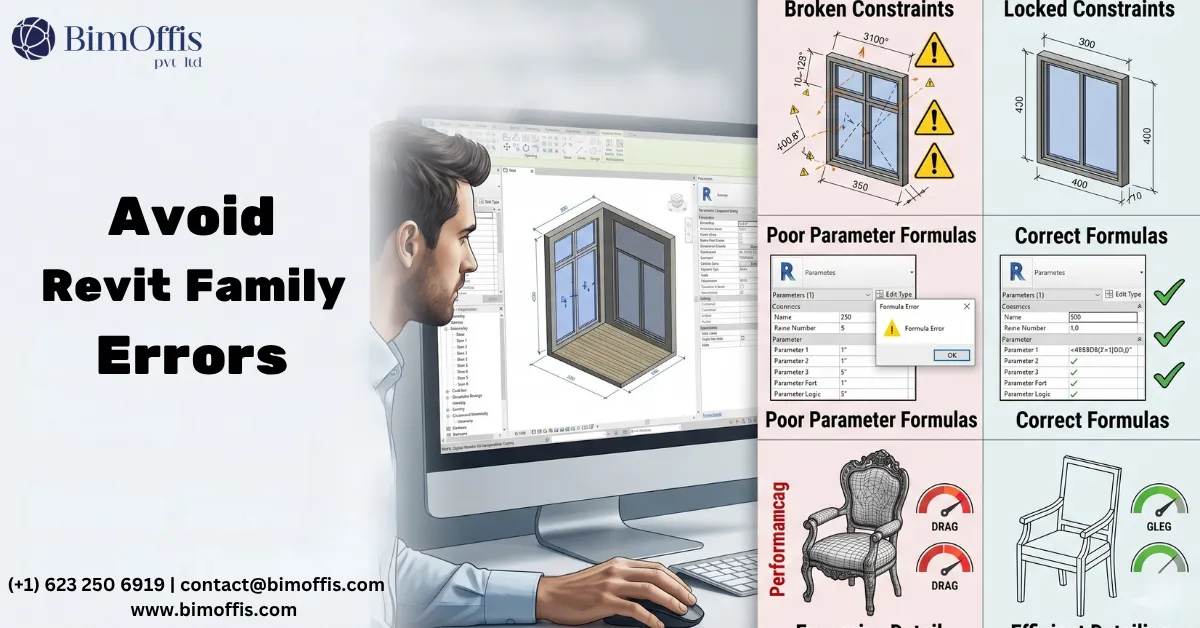
Introduction: Common Mistakes in Revit Family Creation and Why They Matter
Are you a manufacturer wanting to learn what defines quality in Revit families and why quality is so important when offering Revit families for your products? Or are you a designer who uses Revit, and you’re cautious about using manufacturer-based Revit content due to past quality issues? You’re not alone. This article examines some of the most common and problematic mistakes found in manufacturer-based Revit content, assisting manufacturers, Revit content creators and Revit users in producing Revit families that add value to project delivery workflows rather than complications.
The Significance of Quality Revit Content
Well-crafted Revit content can offer substantial advantages to both designers and manufacturers in the architecture, engineering, and construction (AEC) industry. For designers, properly constructed Revit families facilitate more efficient workflows, accurate documentation, constructability, cost management and improved project coordination. For manufacturers, having their products available as well-built Revit content helps them collaborate more effectively with specifiers and boost the chances of their products being specified in more projects.
By contrast, poorly created Revit content from manufacturers can actually introduce a wide range of problems. Many designers and BIM specialists responsible for managing digital processes within design firms have become wary of BIM content provided by manufacturers due to widespread quality issues.
Let’s examine the most common mistakes and how to avoid them.
1. Over-Detailing: When Less is More
Another extremely common issue is manufacturer content that is modelled at an excessive and unnecessary level of detail. This stems from manufacturers wanting their products to look as realistic as possible in 3D views, and the perception that terminology like ‘digital twin’ means project models should represent the building down to the very last detail in 3D. However, this level of detail is rarely needed or wanted by designers and creates several problems:
- Slower Performance: Highly detailed geometry requires more processing power to display and manipulate, slowing down model performance.
- Larger File Sizes: Intricate details dramatically increase Revit family and Revit project file sizes.
- Difficult Editing: Overly complex geometry is harder for designers to edit or simplify if needed.
- Unnecessary Complexity: Most of the fine details are not visible or relevant at typical scales for project design, documentation and coordination.
Best Practice: Model geometry at an appropriate level of detail for typical project usage. Focus on overall form and details that are critical to the element in the context of a project-level design and delivery model. In considering model geometry and graphics, it’s important to distinguish and acknowledge the difference in use case between a CAD model and a Revit family. Manufacturers may develop 3D CAD models in software like Solidworks or Inventor for the purposes of visualising, prototyping or actually manufacturing their product down to the last detail. By contrast, a Revit family simply needs to represent the element as it relates to the overall building design and construction process. In developing Revit families for intricate building components, additional 2D and 3D views can be provided as supplementary assets rather than incorporating them in the main Revit family geometry.
2. Lack of Flexibility: The Rigid Family Problem
A lot of manufacturer Revit families are created as rigid, inflexible objects that cannot be easily customised or adapted to project needs. Revit families like this are fine for products that aren’t available in various design options, or customisable. However, Revit families that aren’t flexible are especially problematic for building elements that inherently require a high degree of customisation like cladding, railings, windows, partition systems, linear lighting, acoustic panels, operable walls, and furniture systems, just to name a few. In these cases, it’s the intelligence and rules-based parametric functionality of the models that provides the user with the greatest value when using them in their projects.
Common flexibility issues include:
- Fixed Dimensions: Critical dimensions that cannot be adjusted to fit project conditions.
- Limited Configuration Options: Inability to toggle between different product variations or options.
- Constrained Geometry: Over-constrained geometry that prevents editing or resizing.
Best Practice: Build families with parametric flexibility in mind where appropriate. Use formulas and conditional statements to allow dimensional adjustments within manufacturable ranges. Provide Type Catalogs or nested families to easily switch between product options.
3. Poorly Structured Families: The Organizational Nightmare
The internal structure and organization of Revit families has a major impact on their usability and performance. Unfortunately, many manufacturer Revit families suffer from poor structuring:
- Unnecessary Nesting: Overuse of nested families adds complexity and reduces performance.
- Incorrect Category Usage: Using the wrong family category prevents proper functionality and family management in projects.
- Improper Reference Planes: Lack of named reference planes and incorrect reference type makes using and editing the family difficult.
- Missing Origin Point: Families without a consistent insertion point are hard to place accurately and prone to causing design mistakes.
Best Practice: Keep family structures as simple as possible while maintaining necessary functionality. Properly name, define and constrain reference planes. Clearly and consistently define insertion/origin points.
4. Missing Information: The Incomplete Content Issue
Revit families should serve as comprehensive sources of product information, not just 3D geometry. However, many manufacturer families lack critical data:
- Product Identification: Missing manufacturer name, product line, model number, or links to an online location where additional information that may be necessary can be accessed.
- Materials: Undefined or generic materials instead of accurate product-specific materials.
- Performance Data: Lack of important metrics, where appropriate, like load capacities, energy consumption or pressure ratings.
- MEP Requirements: Missing information on electrical, plumbing, or mechanical connection requirements engineering consultants may need to account for when generating systems.
Best Practice: Embed relevant product data directly in Revit families using properly structured parameters. This should include full identification, materials, performance metrics, and any data needed for coordination or specification.
5. Visual Appearance Issues: The Aesthetic Inconsistency
The visual representation of manufacturer Revit families often fails to align with project graphic standards:
- Inconsistent Line Weights: Using non-standard line weights that don’t match project settings.
- Inappropriate Detail: Showing too much or too little detail at different view scales.
- Material Representation: Unrealistic material appearances that don’t match visualisation standards.
- 2D Symbol Problems: Plan, elevation, or section symbols that don’t follow drafting conventions.
Best Practice: Follow industry drafting standards for 2D representations. Use appropriate detail levels for different scales. Apply realistic materials that work well in both technical and presentation views. Allow for easy graphic overrides to match project standards.
6. Created in the Most Recent Revit Version: The Compatibility Conundrum
We know, we were only supposed to do 10, but we couldn’t possibly finish this list without including this one.
A new version of Revit is released every year, but many firms have projects running in older versions for extended periods. When manufacturer content is created in the latest Revit version, it causes compatibility problems:
- Limited Usability: Revit families cannot be used in projects running earlier Revit versions.
- Extra Work: Designers must fully recreate families to use in their projects.
Best Practice: Provide content in multiple Revit versions, with the ‘base version’ being at least 2-3 years back from the current release. At minimum, include a version compatible with the last major LTS (Long Term Support) release. Clearly label family Revit version folders to avoid confusion, but do not include version in the file name.
7. Incompatible Units: The Metric vs. Imperial Dilemma
The AEC industry operates in both imperial and metric units depending on region and project requirements. However, many manufacturer Revit families are created using only one unit system, even though the library is intended to be used to document the products in projects using both units of measure:
- Site Coordination Issues: Where product sizes vary between regions it is beneficial to provide accurate models for each.
- Naming Issues: Designers referring to the 4′ version of a product do not expect to see it labelled as the 1220mm.
- Range availability: If a product offering is different from one region to another, the Revit library intended for these regions should reflect this.
Best Practice: Provide separate imperial and metric versions of family libraries. Include only relevant ranges for each region, with conversion for that region.
Conclusion: Improving the Quality of Manufacturer Revit Content
Creating high-quality Revit content requires a deep understanding of both the software’s capabilities and the needs of AEC professionals. Manufacturers must invest in Revit families created by experts to ensure their BIM content adds value rather than frustration.
For designers, it’s crucial to carefully evaluate manufacturer Revit families before incorporating them into projects. Implementing rigorous standards and testing procedures for external content can prevent many of the issues discussed above from impacting project design and delivery workflows.
Well-constructed manufacturer Revit content benefits the entire AEC ecosystem. It enables more efficient design processes, improves project coordination, reduces errors, and helps deliver better buildings. By avoiding these common mistakes, manufacturers can position their products for greater specification and achieve commercial objectives while supporting the industry’s broader adoption of BIM methodologies.
Revit Family Creation Mistakes That Are Quietly Breaking Your BIM Model .
Frequently Asked Questions from Clients
What is Revit Family Creation?
Revit Family Creation involves building reusable parametric components for BIM projects.
What are common mistakes in Revit Family Creation?
Common mistakes include over-modeling, poor parameter management, and inconsistent naming.
Why are Revit family standards important?
Standards improve model consistency, usability, and project coordination.
How do complex families affect Revit performance?
Overly detailed families can increase file size and slow model performance.
Which tools are used for Revit Family Creation?
Autodesk Revit is the primary software used for creating custom families.
How can Revit families improve BIM workflows?
Well-structured families enhance accuracy, automation, and multidisciplinary coordination.







