
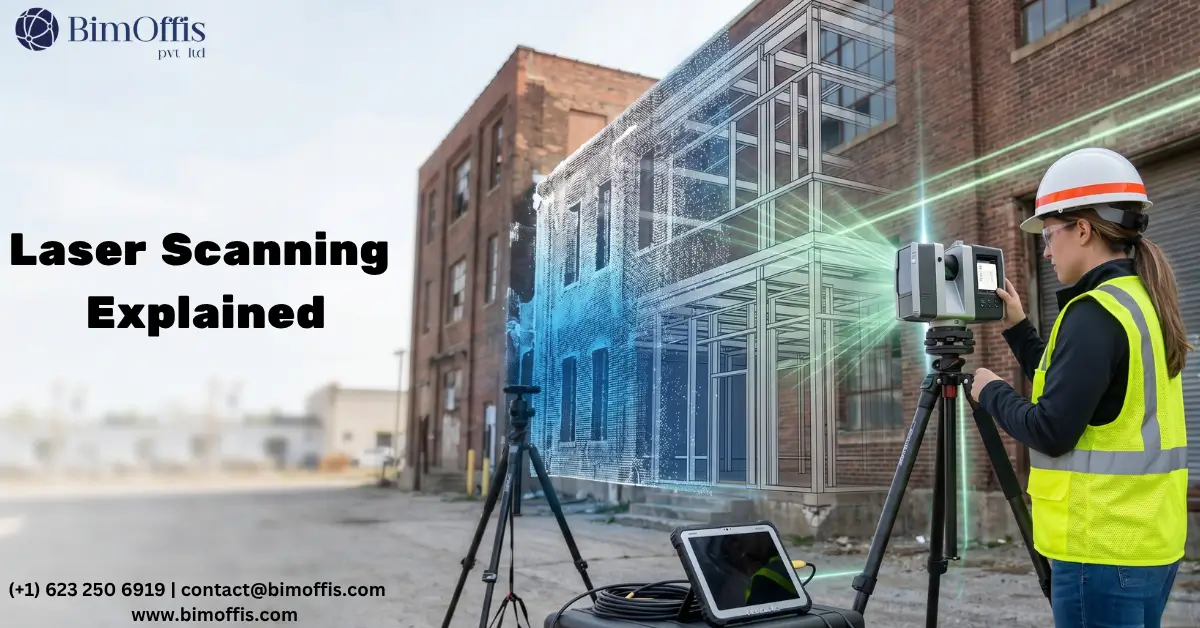
Honestly, the first time someone explained Scan to BIM to me, I did not fully get it.
I understood the words. Scan a building. Make a BIM model. Sure. But it took actually watching a scanner run on a live site before it clicked. Because until you see a point cloud of a building you have physically walked through, it just sounds like another piece of industry jargon.
So let me explain it the way I wish someone had explained it to me.
The Problem That Started All of This
Anyone who has worked on a building that is more than 20 years old knows this situation.
You get handed the existing drawings. They look official. Proper title block, revision history, the whole thing. Then you get on site and within a couple of days you realise the drawings and the building are telling two completely different stories.
A wall is in the wrong place. There is a concrete beam hiding above a suspended ceiling that nobody drew. The plant room layout has been changed at some point but the person who changed it never updated the record drawings.
So now your design is based on information that is simply wrong. And you will not find out exactly how wrong until work has already started.
That is a painful and expensive place to be. And it is shockingly common.
So What is Laser Scanning?
A laser scanner is a device that measures a space by firing laser pulses outward in every direction and recording exactly where each one lands.
Set it up in a room and it will spin around, pulsing millions of times per second, bouncing signals off every wall, floor, ceiling, pipe, column and door frame it can reach. Each pulse returns and tells the scanner precisely how far away that surface was.
Do that from enough positions around a building and you end up with a point cloud. It is basically a three-dimensional photograph of the space. Every surface captured. Every dimension measured. All of it accurate to within a couple of millimetres.
Zoom into a point cloud on screen and you can pick out individual objects. A bolt on a steel connection. A step in a floor level. A pipe running through a wall that nobody knew was there. It captures things that a site visit with a tape measure would completely miss.
The Different Types of Scanners
For most interior work, a tripod scanner is what gets used. The operator moves it around the building from one position to the next and the software pieces all the scans together into one continuous model of the space.
When a site is large and the team needs to move quickly, a mobile scanner worn on a backpack is the better option. You walk through the building and it captures everything as you go. Slightly less precise than a tripod scanner but far faster to use across a big area.
For anything up high, rooftops, tall facades, areas where access is difficult or genuinely dangerous, a drone-mounted scanner handles it from the air. Much safer and often quicker than rigging up a scaffold just to take a few measurements.
What Scan to BIM Actually Is
Here is where the two things come together.
A point cloud on its own is useful but it is raw data. You can measure from it and reference it but you cannot directly design against it in any practical way.
Scan to BIM is the process of converting that point cloud into a proper Revit model. A BIM technician works through the point cloud and builds the model element by element. Walls, floors, ceilings, structural steelwork, mechanical and electrical services, all of it modelled in the correct position based on what the scanner actually measured on site.
What you end up with is not a model someone drew from memory or interpreted from a blurry old drawing. It is a model built directly from measured data of the building as it stands today.
That distinction matters more than people sometimes realise.
Why It Saves Money on Real Projects
I will be direct about this. The main reason clients pay for Scan to BIM is to avoid expensive problems later.
When a design team is working from an accurate model, they can see clashes before they happen on site. A new mechanical duct that would run directly through an existing structural beam gets spotted on screen during design. Takes twenty minutes to reroute in the model. The same issue found on site after the ductwork has been fabricated and delivered is a completely different story. That one takes days to sort out and costs real money.
Accurate information at the start of a project is almost always cheaper than dealing with wrong information halfway through it.
The Types of Projects That Use It
Renovation and refurbishment work is where it gets used most. Before any new design can happen, the team needs to understand exactly what is already in the building. Scanning gives them that in a way that nothing else really can.
Heritage and listed buildings are another big use case. Older structures have irregular geometry and complex details that take an age to measure manually. Scanning captures all of it accurately in a day or two.
Beyond that it gets used across industrial facilities, hospitals, schools, commercial fit-outs, infrastructure projects. Basically anywhere a project involves working with or around an existing structure and getting the dimensions wrong would cause real problems.
How It Actually Gets Done
The scanning team comes to site and works through the building, positioning the scanner at enough spots to cover every area without any gaps. Depending on the size of the building this takes anywhere from a few hours to a few days.
Back in the office the individual scans get processed and merged into a single unified point cloud. The BIM team then takes that into Revit and builds the model, checking everything against the point cloud as they go.
The finished model gets reviewed, quality checked, and issued to the project team. From that point everyone is working from the same base. The architect, the structural engineer, the MEP consultant, the contractor. All looking at the same accurate picture of the building.
And that shared starting point, built on real measured data rather than old drawings and site sketches, is genuinely what makes the difference on a well-run project.
Ready to find out what your project will cost? Find out here.
Frequently Asked Questions from Clients
What is Scan to BIM?
Scan to BIM is the process of converting a laser-scanned point cloud into an accurate, intelligent BIM model of an existing building.
What is a point cloud?
A point cloud is a three-dimensional map made of millions of data points captured by a laser scanner, representing every surface of a space.
How accurate is laser scanning?
Laser scanning captures building dimensions within 2 to 3 millimetres, far more precise than any manual measurement method.
Which software is used in Scan to BIM?
Most BIM teams use Autodesk Revit for modelling and Autodesk ReCap or Faro Scene for processing the point cloud.
How long does a Scan to BIM project take?
Scanning a building can take a few hours to a few days depending on size, and modelling time depends on the level of detail required.
What types of projects benefit most from Scan to BIM?
Renovation, heritage conservation, industrial upgrades, and any project involving an existing building where accurate as-built information is critical.







