
How Many of Those Drawings Can You Actually Use Today?
How many of those drawings sit on a server right now, representing buildings that are still standing, still occupied, and will at some point need renovation or maintenance work? Probably most of them. Now think about how many of those drawings you could actually drop into a BIM coordination workflow today, without someone spending weeks rebuilding everything.
Probably almost none of them.
Why That Gap Matters on Real Projects
That gap is the whole reason CAD to BIM conversion keeps coming up on projects. Not because someone decided BIM sounds more impressive on a proposal. Because a converted model does things a flat drawing genuinely cannot do, and on real projects, those things matter enormously.
According to buildingSMART, the international body behind open BIM standards, structured digital building data is now central to how the AEC industry exchanges project information. That is not a future trend. It is where the industry already is.
CAD to BIM Conversion Makes Real Coordination Possible
This is the one that matters most on any project where new design work touches an existing building.
Why CAD Drawings Fall Short in Coordination
A CAD drawing cannot participate in a coordination environment the way a model can. It is flat and static. If a design team needs to check whether new MEP routing fits alongside what is already there, the CAD drawing gives them nothing real to work against. Essentially, they make educated guesses and hope those guesses hold up when someone arrives on site.
What Actually Changes After Conversion
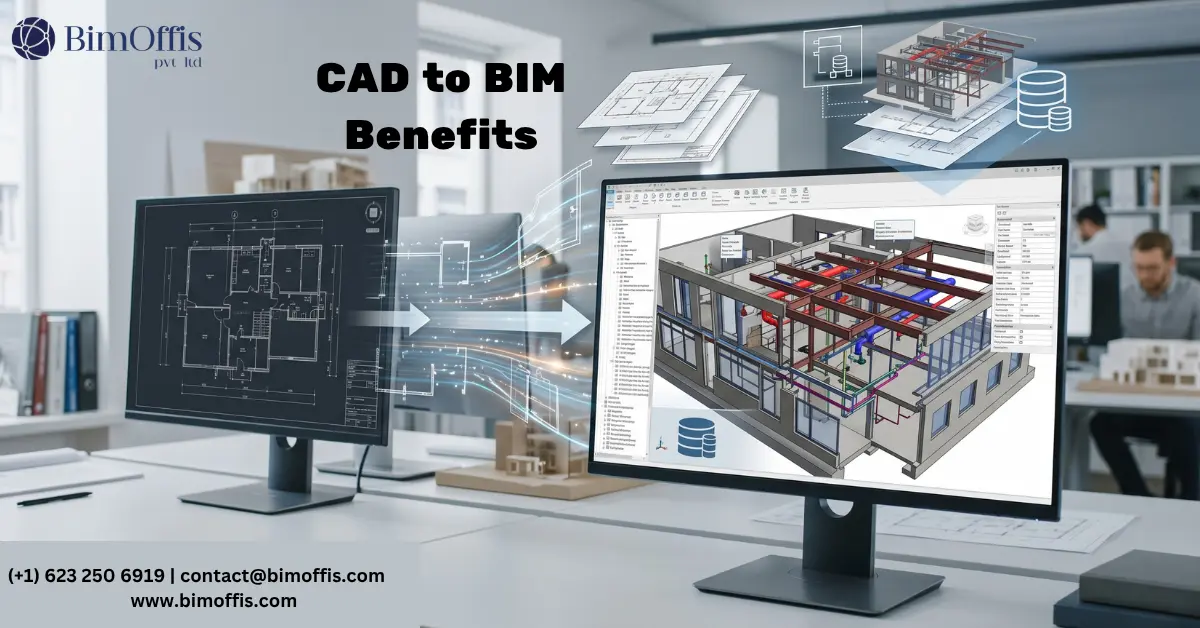
Once those CAD drawings go through a proper conversion to BIM, the situation changes completely. The existing building becomes part of the same coordinated model as the new design. Clash detection runs across everything together. The team can actually see whether things fit before anyone starts building.
I have watched this advantage alone justify the entire cost of a conversion on more than one project.
The Converted Model Knows What Things Are, Not Just What They Look Like
Here is a way of thinking about it that I find genuinely useful.
A CAD drawing shows you what something looks like. A BIM model, on the other hand, knows what something actually is.
How the Data Makes a Real Difference
When you convert, every wall, door, piece of equipment, and room becomes an object carrying information. A room is not just an outline with a number written inside it anymore. It has an area you can query, a name, and occupancy data. A piece of equipment is not a symbol on a plan either. It carries a manufacturer, a model number, and maintenance history built into it.
That shift makes a converted model genuinely useful for facilities management and asset tracking. Building owners managing property portfolios get real operational value from models holding data rather than drawings holding only lines. The Autodesk BIM overview explains how data-rich modeling supports asset management across a building’s full lifecycle.
Drawings Stop Contradicting Each Other
If you have worked with CAD long enough, you have almost certainly run into this problem at some point.
The Separate Files Problem in CAD
The floor plan is one file. The section is another. The elevation is a third. Someone updates the floor plan and forgets the section. Three months later nobody is quite sure which version is current. The document set starts telling slightly different stories depending on which file you open.
How a BIM Model Fixes This
A BIM model does not have this problem because there is only one source. Floor plans, sections, and elevations are all just different views of the same thing. Change something once and every view updates automatically. For renovation work especially, this matters a lot. The existing conditions and new design stay in sync throughout rather than slowly drifting apart the way separate CAD files tend to do.
CAD to BIM Conversion Helps Firms Meet Modern Tender Requirements
A growing number of tenders now ask for BIM deliverables as a standard requirement, not an optional extra.
Why This Creates a Problem Without Conversion
If your firm has been working in CAD and a tender comes in for a project involving an existing building, you need a BIM model of the existing conditions before you can do much else. Modeling the existing building from scratch during a tender response almost never fits the timeline. Submitting something that falls short of the requirements and hoping it does not count against you is not a comfortable position.
How Conversion Solves This Practically
Conversion gets the team to a proper starting point efficiently. The timeline stays workable. The actual design work gets the attention it deserves rather than being squeezed out by documentation work that should have happened earlier.
Renovation Decisions Genuinely Improve
When a team designs against a properly converted BIM model instead of working from CAD drawings, you can actually see the difference in how they make decisions.
What Better Information Produces
Things that were genuinely ambiguous on a 2D plan become obvious once the team looks at them in three dimensions. Coordination problems that would have surfaced during construction get caught during design instead. The team works with real confidence because a good conversion includes checking the original CAD against what actually exists on site and flagging anywhere the two do not match.
What Separates a Good Conversion From a Poor One
It Has to Be Modeled Properly, Not Just Traced
If someone traces over the CAD lines in Revit and calls it a conversion, none of the advantages above materialise. The file might look right in a 3D view but it will not behave correctly in any workflow that matters. Walls need proper layer structures. Families need correct parameters. The model needs to actually work in coordination and scheduling, not just visually resemble the original drawing from a different angle.
Someone Needs to Verify the Drawings Against the Actual Building
CAD drawings of existing buildings are almost never perfectly accurate. Things change over the years and the drawings rarely keep up. A good conversion does not trust the CAD drawings blindly. It flags the places where reality and drawing do not match. The client then decides whether a site visit is worth doing before the team starts designing against the model.
The Scope Has to Be Clear Before Work Starts
What is this model actually going to be used for? A model for facilities management needs different things from one for renovation coordination. Getting clarity on this before anyone starts modeling decides what gets built, how detailed it needs to be, and what data needs attaching. Vague scope going in almost always produces a model that serves nobody particularly well coming out.
The Short Version
CAD to BIM conversion gives you a model you can actually coordinate against. It gives you data instead of just lines, documentation that stays in sync on its own, and a faster path through tenders requiring BIM deliverables. It also gives your design team something that genuinely holds up when renovation work gets into the coordination and construction stages.
If your firm has a library of CAD drawings for buildings still in use, the gap between what those drawings can do and what a properly converted model can do is genuinely worth looking at seriously.
Ready to find out what your CAD to BIM project will cost? Get your free quote today.
Frequently Asked Questions from Clients
What is CAD to BIM conversion?
It is the process of taking flat CAD drawings of an existing building and rebuilding them as an intelligent, coordinated BIM model that carries real data.
Why can't CAD drawings be used for coordination on renovation projects?
CAD drawings are flat and static, so they cannot sit inside a coordination environment, run clash detection, or be checked against new design work in three dimensions.
How does CAD to BIM conversion help with facilities management?
Every element becomes a data-carrying object, so rooms, equipment, and materials become queryable information rather than just lines and symbols on a drawing.
Does CAD to BIM conversion help with project tenders?
Yes, many tenders now require BIM deliverables, and converting existing CAD drawings is usually the fastest way to meet that requirement for projects involving existing buildings.
What is the difference between tracing CAD in Revit and a proper conversion?
Tracing produces geometry that looks right but behaves incorrectly, while a proper conversion builds real walls, families, and parameters that function correctly in coordination and scheduling.
Why do CAD drawings of older buildings often need verification during conversion?
Buildings change over the years and drawings rarely get updated, so a good conversion flags discrepancies between the CAD and the real building rather than modeling them as if correct.







