
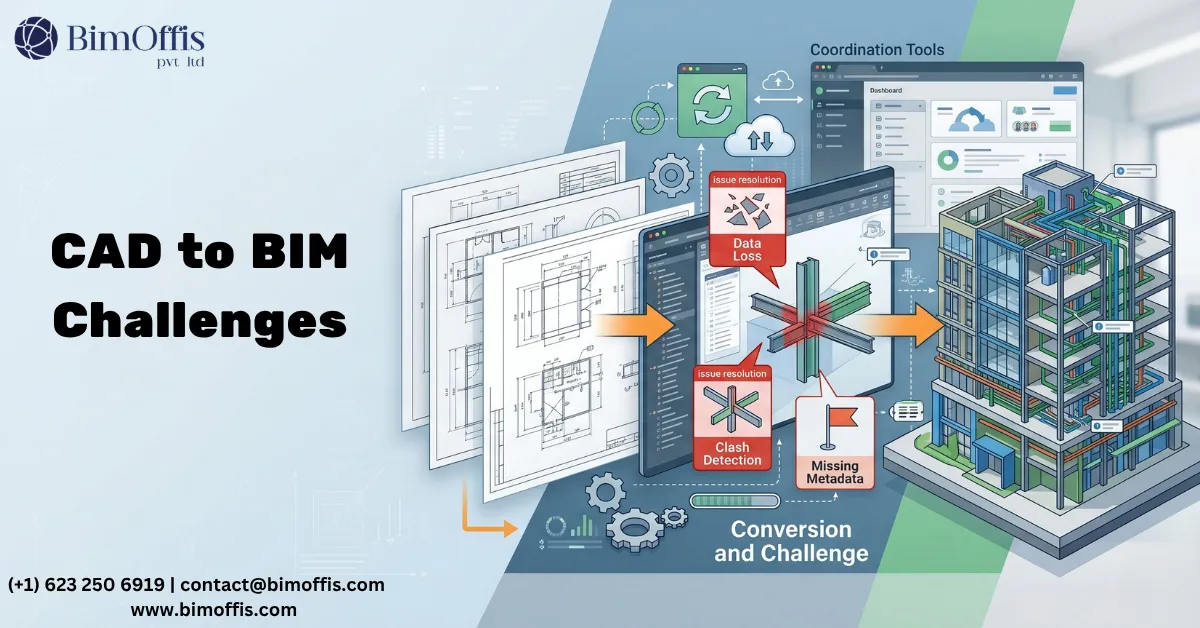
CAD to BIM conversion sounds simple enough when you first describe it. You have CAD drawings. You need a BIM model. Someone converts one into the other.
Anyone who has actually been through this process on a real project knows the reality is considerably messier. The challenges are real, they show up consistently, and they catch teams off guard when they have not encountered them before.
This is not a reason to avoid CAD to BIM conversion. The benefits of a properly converted model are significant and well established. But going in with a clear understanding of what typically goes wrong is what separates a conversion that delivers what the project needs from one that produces a model that looks right and underperforms everywhere it counts.
Here are the challenges that come up most consistently and how experienced teams handle them.
CAD Drawings That Do Not Reflect the Real Building
Why This Happens
This is the most common challenge in CAD to BIM conversion and the one most likely to cause problems if nobody addresses it honestly upfront.
CAD drawings of existing buildings are almost never a fully accurate record of what the building currently looks like. Buildings change over time. Partitions move during fit-outs. Systems get modified when equipment gets replaced. In most cases, nobody updates the CAD drawing record to reflect these changes.
The drawings that exist might reflect the building as it was designed fifteen years ago. They might partially reflect modifications made during a renovation five years ago. Without checking, nobody knows which parts of the drawing set are accurate and which have drifted away from reality.
How to Overcome It
Good CAD to BIM conversion practice treats the CAD drawings as a starting reference rather than a definitive truth.
Before modeling begins, the conversion team reviews the CAD drawings carefully and flags areas where the drawings appear inconsistent, where modifications visible in the record may not be fully captured, or where the drawing quality raises questions about accuracy. These flags go back to the client with specific questions. Does this modification accurately reflect the current condition? Has this area seen a recent survey? Does the team need site verification before modeling proceeds?
On projects where accuracy is critical, targeted laser scanning or physical survey of specific areas supplements the CAD drawing data. The conversion team models what the drawings show accurately and flags what needs verification rather than modeling everything as drawn and hoping the inaccuracies do not matter later.
Converting Geometry Rather Than Building Intelligent Objects
Why This Happens
This is the challenge that most frequently produces conversions that look right and underperform in practice.
The temptation in CAD to BIM conversion is to trace the CAD geometry in Revit and call it a model. The walls get outlined. The doors get placed. The result looks like the building in three dimensions. The client sees a 3D model and assumes the conversion is complete.
What actually exists in that file is geometry, not a BIM model. Walls exist as solids rather than properly structured wall types. Doors appear as shapes rather than parametric families with correct parameters. These elements look correct in a 3D view but behave incorrectly in every workflow the project needs them for.
Schedules pull no useful data because no data exists in the elements. Clash detection misses real conflicts because the geometry does not accurately represent the dimensional envelope of real elements. Documentation requires manual correction because the model cannot generate it reliably.
How to Overcome It
The team needs to establish the distinction between tracing and converting clearly before work begins. A genuine CAD to BIM conversion builds walls with correct layer structures, turns doors and windows into proper Revit families with correct dimensional parameters, and ensures MEP elements carry appropriate connection data alongside structural elements that reflect actual profiles and material grades.
Furthermore, the scope definition before work starts needs to specify what the model needs to do. A model for facilities management has different requirements from one for renovation coordination. Getting clarity on this before modeling begins determines what data needs to attach to elements and what level of family sophistication the conversion actually requires.
Poor Quality or Incomplete CAD Drawings
Why This Happens
Not all CAD drawing sets are created equal. Some are well-organised, accurately drawn, and reasonably complete. Others are a collection of files produced at different times by different people using different conventions, with inconsistencies between them that make working out what the building actually looks like genuinely difficult.
Incomplete drawings leave gaps that force modeling decisions without clear guidance. Areas the original team never drew, sections that do not match the plans, and details that contradict the elevations all create problems the conversion team has to navigate without reliable source material to work from.
Old CAD files also sometimes carry technical problems. Corrupted elements, incorrectly scaled geometry, drawing content on wrong layers, linework representing multiple overlapping conditions without clear differentiation. All of these slow down the conversion process and create real risks of modeling errors.
How to Overcome It
A drawing quality review before modeling begins is essential on any CAD to BIM conversion project. The conversion team reviews the CAD files, identifies gaps and inconsistencies, and produces a clear list of issues that need resolution before modeling can proceed reliably.
This review needs to happen before the project fee gets finalised. A conversion team that quotes against a drawing set they have not reviewed is quoting against unknown risk. When the drawings turn out to be more problematic than expected, either the quality suffers or the cost increases, and neither outcome serves the client well.
Scope Creep and Undefined Model Requirements
Why This Happens
Scope creep in CAD to BIM conversion projects almost always traces back to scope that was not clearly defined when the project started.
The client needs a BIM model. The conversion team produces a BIM model. But nobody specified what systems needed modeling, at what LOD, with what data attached, or for what purpose. The client expected a model that supports MEP coordination. The conversion team produced a model that accurately represents the architectural envelope. Both delivered what they understood the scope to be. Neither got what they needed from the arrangement.
How to Overcome It
Scope definition before any CAD to BIM conversion starts needs to answer several specific questions. Which disciplines need modeling and at what LOD? What data needs to attach to which elements? How will the team use the model and what workflows does it need to support?
A clear scope document that both the client and the conversion team agree on before work starts prevents most scope disputes during delivery. It also allows the conversion team to plan the work correctly and allocate the right expertise to the right parts of the conversion rather than making those decisions under delivery pressure.
File Format and Software Compatibility
Why This Happens
CAD files exist in multiple formats. DWG, DXF, DGN, and various proprietary formats all appear in real conversion projects. Some translate cleanly into Revit workflows. Others require intermediate steps, format conversion, or cleaning before they can serve as reliable modeling references.
Old CAD files created in early software versions sometimes lose data or display incorrectly when opened in current software. Layer structures that made sense in the original system do not always translate clearly into the conversion team’s working environment.
How to Overcome It
Testing the CAD files in the conversion team’s working environment before committing to a delivery timeline is straightforward practice that prevents unpleasant surprises. File format issues that surface during the test phase get resolved before they affect delivery rather than creating timeline pressure mid-conversion.
The conversion team also needs to communicate clearly with the client about any file format issues that surface during the review phase and agree on how the team will handle them before modeling begins. Problems that emerge mid-conversion without prior agreement create exactly the kind of pressure that leads to quality compromises nobody wanted.
The Bottom Line
CAD to BIM conversion challenges are real and they show up consistently across different project types. Inaccurate source drawings, geometry-only conversions, poor drawing quality, undefined scope, and file format issues all appear regularly on real projects.
None of these challenges make CAD to BIM conversion impractical. All of them are manageable with the right approach. The conversions that deliver what clients actually need are the ones where the team anticipated these challenges, addressed them before modeling began, and managed everything with clear communication throughout the process.
Getting the upfront work right is what separates a converted BIM model that genuinely serves the project from one that required significant rework before anyone could use it for anything.
Transform your CAD drawings into accurate BIM models with expert conversion services.
Frequently Asked Questions from Clients
What is CAD to BIM Conversion?
CAD to BIM Conversion transforms 2D CAD drawings into intelligent 3D BIM models.
What are the common challenges in CAD to BIM Conversion?
Incomplete drawings, inconsistent data, and modeling accuracy are common challenges.
How can CAD to BIM Conversion challenges be overcome?
Using standardized workflows, quality checks, and experienced BIM professionals improves accuracy.
Which software is used for CAD to BIM Conversion?
Autodesk Revit is one of the most widely used tools.
Does CAD to BIM improve project coordination?
Yes, it enhances collaboration, visualization, and clash detection.
Who benefits from CAD to BIM Conversion?
Architects, engineers, contractors, and facility managers benefit from BIM workflows.







