
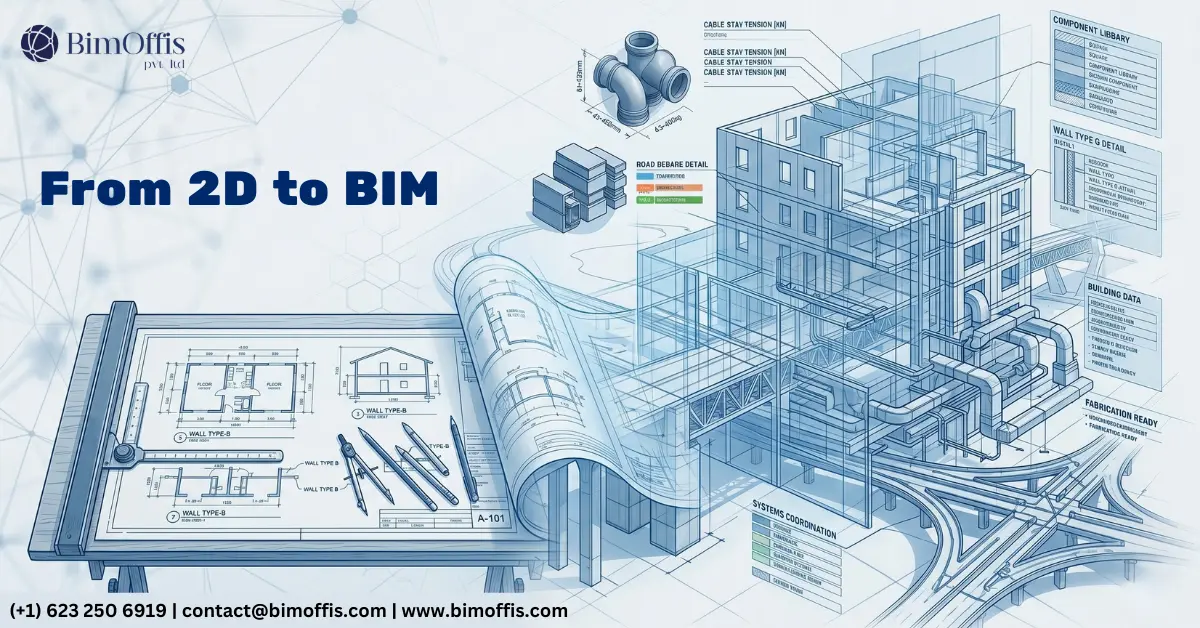
Ask any architect who spent their early career in AutoCAD, and they’ll tell you the same story. You’d finish a set of drawings, feel good about where the design was, and then a client would ask to move a staircase. Suddenly, you’re not just moving a staircase; instead, you’re spending the next two days chasing that one change through every plan, every elevation, every section, and every detail that referenced that part of the building.
And somewhere in those two days, something would get missed. It always did.
That wasn’t incompetence. That was simply the reality of how 2D design workflows operate. Every drawing stands alone. Nothing talks to anything else. You hold it all together in your head, and the moment the project gets complex enough, or the pace picks up enough, the cracks start showing.
Architectural BIM models didn’t just patch those cracks. They came at the problem from a completely different angle.
Why 2D Breaks Down on Real Projects
Small projects with stable briefs and experienced teams can survive in 2D. The drawings stay manageable, the coordination remains straightforward, and a good architect can hold the whole thing in their head without too much difficulty.
But scale that up. Add a structural engineer, an MEP consultant, a facade specialist, and a client who changes their mind every three weeks. Now five teams produce drawings that all need to reference each other, the design moves fast, and the documentation deadline doesn’t move at all.
In that environment, 2D coordination doesn’t just get harder. It becomes genuinely unreliable. Not because the people do bad work, but because the system asks humans to manually maintain consistency across hundreds of drawings, and humans simply cannot do that without making errors.
As a result, the errors show up eventually. Sometimes in a coordination meeting. Sometimes on site. Either way, someone pays for them.
The Difference BIM Actually Makes
The Building Exists Once
This is the thing that takes a while to fully sink in when you first move from CAD to BIM. In a 2D workflow, a building is a collection of drawings. In a BIM model, however, a building is a building, and the drawings come out of it.
Put a wall in the model and it appears in the plan, the elevation, the section, and the 3D view all at once. Raise the ceiling height and every drawing that shows that ceiling reflects the change immediately. You’re not updating drawings anymore. Instead, you’re working on the building, and the drawings look after themselves.
That shift, from managing drawings to working on a model, sounds subtle. In practice, though, it changes almost everything about how documentation gets produced.
Design Exploration Without the Penalty
One of the things that gets lost in 2D is genuine design exploration. Not because architects don’t want to explore options, they do, but because exploring an option in CAD means drawing it first. And drawing takes time. So teams narrow options down early, before they’ve been properly tested, because keeping multiple ideas alive costs too much time.
In architectural BIM models, by contrast, spatial changes move through the model quickly. You can compare three staircore positions, two facade grid options, and a completely different circulation approach, then make an informed decision based on what you’ve actually seen rather than what you could afford to draw.
That’s not just a workflow improvement. That’s a direct design improvement.
Sections Wherever You Need Them
In 2D, sections were planned decisions. You committed early to which sections were worth the time to draw. Cutting an extra section through a complicated junction, one you’d only ever look at yourself to check the design was working, wasn’t practical under normal project timescales.
In BIM, however, you cut a section in thirty seconds. You look at what’s happening in that corner where the roof meets the wall meets the stair. You check the ceiling void is deep enough for what the engineer needs. Then you close the view and carry on.
That ability to constantly check your own work, without it costing you anything, catches spatial problems during design development that would otherwise stay invisible until the construction document phase.
What Happens to Consultant Coordination
The Federated Model Replaces the Drawing Exchange
Traditional consultant coordination worked like this. The architect issues drawings. The structural engineer draws the structure over them. The MEP consultant draws the services over those. Everyone hopes it all fits together. And often, it doesn’t.
The clashes, beam through duct, column in the wrong place, pipe conflicting with a ceiling void, either surface in a coordination meeting that runs three hours over schedule or they appear on site where fixing them gets expensive and awkward.
A federated model, on the other hand, brings all three disciplines together in one environment. The clash detection software finds the conflicts automatically. The team resolves them directly in the model. As a result, by the time drawings go out for construction, the major coordination issues are already gone.
The meeting still happens. But it becomes a resolution meeting rather than a discovery meeting. That’s a completely different experience.
Schedules That Don’t Lie
Door schedules in 2D were a particular kind of misery. Someone would count doors from the drawings, build a spreadsheet, issue it, and then the design would change. Consequently, the schedule would be wrong and nobody would notice until the contractor priced something that no longer existed.
In BIM, however, the schedule is a live view of the model. Add a door and it appears in the schedule immediately. Delete a door and it disappears straight away. Change a finish and the schedule updates automatically. There’s no longer a version where the schedule and the drawings disagree because both pull from the same source.
2D Isn’t Gone
Worth saying clearly, BIM didn’t kill 2D drafting. Construction details, junction nodes, and certain technical drawings still get produced as 2D work, either inside the BIM platform or alongside it.
The difference, however, is that those details now sit inside a coordinated project rather than floating on their own. The geometry they detail is already fixed. The coordination is already complete. So the detail simply explains how to build something that the team has already properly resolved.
That’s a much more comfortable place to draw from.
What Architects Who’ve Made the Switch Say
The honest version of the transition story is that the first six months in BIM feel frustrating. The tools work differently. Old habits don’t transfer. There are days when CAD feels faster simply because you know where everything is.
And then something clicks. The model starts doing what it’s supposed to do. Furthermore, a drawing set comes together in a fraction of the time. A coordination issue that would have caused two days of back-and-forth gets resolved in an afternoon. The client asks to move the staircase, and you move it. The drawings update. Nobody spends two days chasing anything.
That’s the moment people stop missing CAD.
To Wrap Up
Architectural BIM models don’t make architects redundant and they don’t make design easy. The thinking, the judgment, the spatial intelligence, all of that still comes from the architect.
What BIM removes, however, is the mechanical burden of manually keeping hundreds of drawings in sync. It removes the coordination anxiety of wondering whether the structural engineer’s beams fit where you placed them. And it removes the documentation grind of updating the same information in six different places every time something changes.
Take that weight off and architects can spend more time actually doing architecture. In the end, that’s really what the whole thing is about.
Ready to find out what your project will cost? Find out here.
Frequently Asked Questions from Clients
What are architectural BIM models?
They are intelligent 3D models where the building exists once, and every drawing, plan, elevation, section, schedule, generates directly from that single model.
How does BIM improve 2D design workflows?
BIM removes the manual work of keeping drawings consistent. Change something in the model, and every view updates automatically, no chasing the same change through multiple drawings.
Is BIM only useful for large projects?
Not at all. Even on medium-sized projects, BIM saves time on documentation, reduces coordination errors, and gives architects better spatial control during design.
Do architects still use 2D drawings in BIM?
Yes. Construction details and technical nodes are still produced as 2D work. BIM handles the geometry and coordination, and 2D handles the fine construction information.
How does BIM help with consultant coordination?
All disciplines, architecture, structure, and MEP, combine into one federated model. Clash detection finds conflicts automatically before drawings go out for construction.
What is clash detection in architectural BIM?
It’s the process of checking whether elements from different disciplines conflict inside the model, like a beam running through a duct or a pipe cutting through a ceiling void.







