
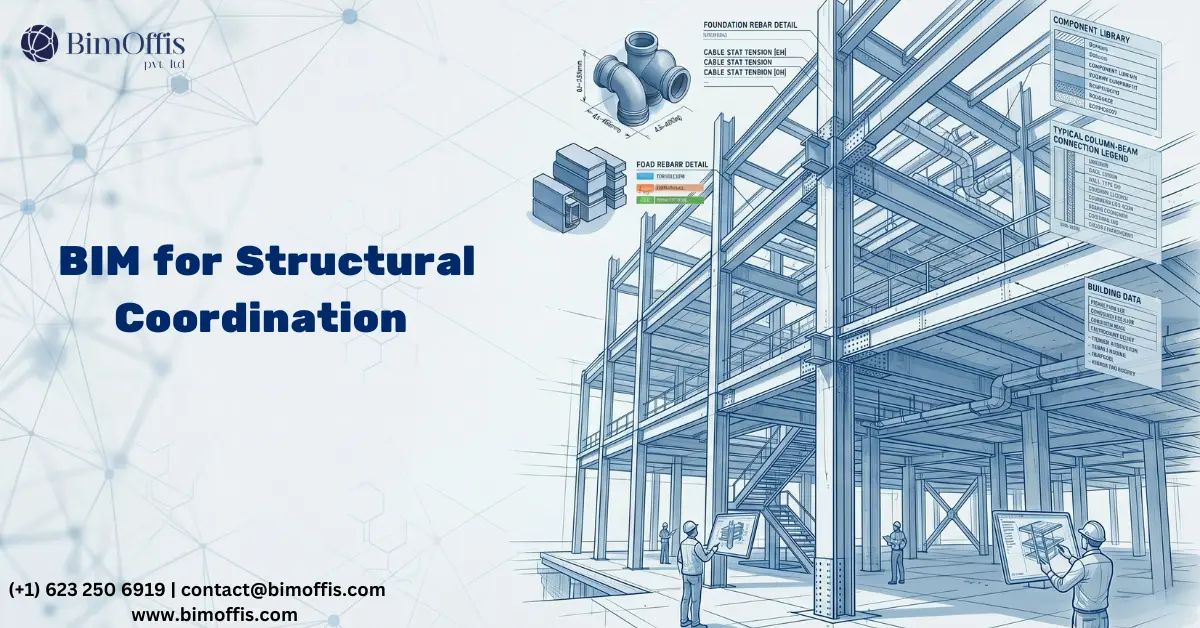
If you’ve ever sat in a structural coordination meeting where three consultants are comparing drawings spread across a table, all trying to figure out why the beam shown on the architectural section doesn’t match what’s on the structural framing plan, you already understand the problem.
Nobody made a mistake on purpose. Nobody was being careless. The drawings just drifted apart, the way drawings always do on a fast-moving project, and now everyone is in a room trying to figure out whose version is correct and who has to go back and fix their set.
That meeting happens on almost every project that runs traditional structural drafting. Sometimes it’s manageable. Sometimes it costs weeks. Either way, it’s time nobody had to spare.
Structural BIM modeling doesn’t speed that meeting up. It makes the meeting about something more useful instead.
Let’s Be Honest About How 2D Structural Drafting Actually Worked
The 2D structural workflow had a logic to it. Foundation plans, framing plans, beam schedules, connection details, each one drawn carefully, checked carefully, issued carefully. On a small project with a stable design and a good team, it held together reasonably well.
But put that same workflow on a large commercial building with an architect who’s still moving grid lines in month three, an MEP consultant routing ductwork through structural zones nobody told them were occupied, and a contractor asking for revised drawings every two weeks, and the cracks appear fast.
A beam changes size. Someone updates the framing plan. Someone else updates the schedule. Nobody updates the connection detail because it’s in a different file and the person who drew it is on another project. Two months later a fabricator prices the connection from the detail, not the schedule, and the numbers don’t match.
That’s not a dramatic failure. That’s a Tuesday on a busy project. And it happens because 2D drafting asks people to manually maintain consistency across dozens of interdependent documents, which is genuinely difficult to do perfectly under real project conditions.
What Changes When You Move to Structural BIM Modeling
One Model, One Truth
The single biggest shift structural BIM modeling brings is that the structure exists once. Not once per drawing set, not once per consultant, once, in a shared 3D model, with every beam, column, slab, wall, and connection sitting in real space with real geometry and real data attached to it.
Change a beam size in the model and the framing plan reflects it, the schedule reflects it, the sections reflect it, all at the same time. There’s no separate update process. There’s no risk of the detail showing one thing and the schedule showing another because they’re both reading from the same place.
That sounds like a small thing until you’ve spent an afternoon tracking down why two documents disagree on a critical structural member. Then it sounds like exactly the kind of problem you never want to deal with again.
Finding Conflicts Before the Concrete Does
Here’s the coordination problem that structural BIM modeling solves better than anything else. In a traditional workflow, checking whether the structure and the building services actually fit together meant comparing drawings, structural drawings against MEP drawings, usually in a coordination meeting with everyone in the room.
That process depended entirely on human eyes catching conflicts between two dense sets of documents under time pressure. And human eyes, even very experienced ones, miss things.
In a BIM environment, the structural model and the MEP model come together digitally. The clash detection software checks every structural element against every duct, pipe, cable tray, and mechanical unit automatically and produces a full report of every conflict, exact location, exact elements involved, no guesswork.
The team still decides how to resolve each conflict. That judgment still comes from people. But the finding of those conflicts no longer depends on someone spotting them in a drawing review. The software finds them all, every time, without getting tired or missing the one on page 47 of a 200-page drawing set.
On a typical commercial project this catches things that would have been expensive surprises on site. On a hospital or a data centre where structural zones are tight and building services are dense, the value is hard to overstate.
What It Does for the Structural Engineer’s Own Process
Quantities That Keep Up With the Design
Steel tonnage, concrete volumes, reinforcement estimates, working these out from 2D drawings meant measuring manually from sections and plans, building a spreadsheet, and then doing it all again when the design changed.
On a project where the design changes frequently, which is most projects, that manual process consumed serious time and produced numbers that were already slightly out of date by the time they reached the cost consultant.
In a structural BIM model, quantities come directly from the model. Change a beam and the steel quantity updates. Add a slab and the concrete volume changes. The numbers stay current with the design without anyone having to sit down and remeasure anything.
That matters more than it might seem. Cost decisions and procurement decisions get made from those numbers. When the numbers are wrong, the decisions that follow can be wrong too.
Keeping Analysis and Documentation in the Same Place
Structural analysis and structural documentation used to be two completely separate activities. The engineer would build a model in their analysis software, run the calculations, work out the member sizes, and then manually transfer those sizes into the CAD drawings. Two environments, two data sets, and a manual transfer process in the middle where things could get lost.
With structural BIM modeling, the geometry flows between the BIM model and the analysis software directly. The engineer pushes the model geometry into the analysis tool, runs the load cases, gets the results, and brings the revised member sizes back into the BIM model. The documentation updates from the same geometry the analysis ran on.
That connection keeps the engineering and the drawings aligned throughout the design process. Not at the end when someone reconciles two separate files, but continuously, as the design develops.
The Coordination Meeting Actually Gets Better
This one doesn’t get talked about enough. Structural BIM modeling changes what coordination meetings are actually for.
In a traditional process, the coordination meeting was largely a problem discovery session. Consultants would come with their drawings, compare them across the table, find the conflicts, argue briefly about who caused them, and leave with a list of things to fix that would generate another round of drawing revisions and probably another meeting.
In a BIM project, the clash detection report exists before the meeting starts. Everyone already knows what the conflicts are. The meeting becomes about resolving them, deciding how to move the duct, whether the beam can drop, whether the slab edge needs to shift, rather than spending an hour finding them.
That shift from discovery to resolution means the meeting produces actual decisions rather than a list of things to go and check. Projects move faster. Fewer issues reach site unresolved. And honestly, the meetings are just less painful.
The Honest Challenges
Worth being straight about this. Structural BIM modeling has a real upfront cost. Setting up a properly structured model, correct element properties, shared parameters, consistent naming, proper category assignments, takes more time than opening a CAD file and starting to draw.
Not every contractor wants model files. Some fabricators still prefer 2D shop drawings and will ask for them regardless of what format the design was delivered in. And structural engineers who trained on 2D workflows need time and support to get genuinely comfortable in a BIM environment.
None of those are reasons to avoid it. But teams that go in expecting BIM to be easy from day one tend to have a harder time than teams that plan for the learning curve honestly.
To Wrap Up
Structural BIM modeling didn’t give structural engineers a fancier drawing tool. It gave them a way of working where the structure exists once, coordination happens in the model rather than across a table, quantities stay current, and analysis and documentation stay connected.
The problems it solves, inconsistent drawings, missed coordination conflicts, outdated quantities, misaligned analysis and documentation, are problems that cost real money on real projects. Not occasionally. Routinely.
Once a structural team has worked through a complex project in BIM and felt the difference, the idea of going back to comparing drawing sets in a coordination meeting stops feeling like an option. It just stops making sense.
Ready to find out what your project will cost? Find out here.
Frequently Asked Questions from Clients
What is structural BIM modeling?
It’s a 3D structural model where every beam, column, and slab carries real geometry and data, not just lines on a drawing.
How does it improve coordination?
All consultant models combine in one environment. Clash detection finds every conflict automatically before construction starts.
What is clash detection?
Software checks structural elements against MEP services automatically and reports every conflict, no manual drawing comparisons needed.
How does BIM help with quantities?
Quantities generate directly from the model and update automatically every time the design changes.
Can structural BIM connect to analysis software?
Yes. Model geometry pushes into analysis tools, and results come back, keeping engineering and documentation aligned throughout.
Does BIM replace the structural engineer?
No. BIM handles data consistency. Every design decision and structural judgment still comes from the engineer.







