Ask anyone who’s worked on a renovation project what the biggest headache is before design even starts. Nine times out of ten, the answer is the same: the existing drawings are useless.
Not always completely useless. But close. You get a set of hand-drafted plans from the original construction, maybe thirty or forty years old, with no record of the extension that was added in the nineties or the wall that got moved when the building changed tenants. Ceiling heights marked on drawings don’t match what’s physically there. Mechanical systems running through spaces that nobody documented properly because at the time, someone just said, “We’ll sort it out on site.”
So you try to design around these drawings, and you’re basically filling in gaps with guesswork. And guesswork in construction catches up with you eventually, usually on site, usually at the worst possible time.
Scan to BIM services exist because of exactly this problem. And honestly, once you’ve worked on a project where it’s been done properly, going back to tape measures and hoping for the best feels almost irresponsible.
So What Does Scan to BIM Actually Involve
Two things. Done in order.
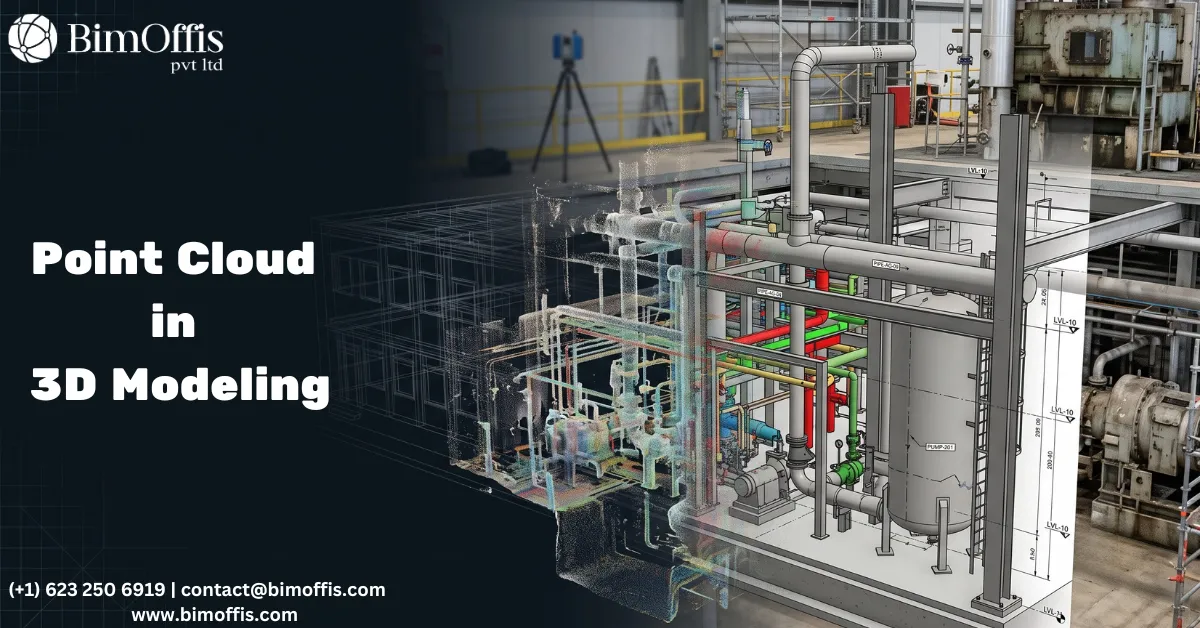
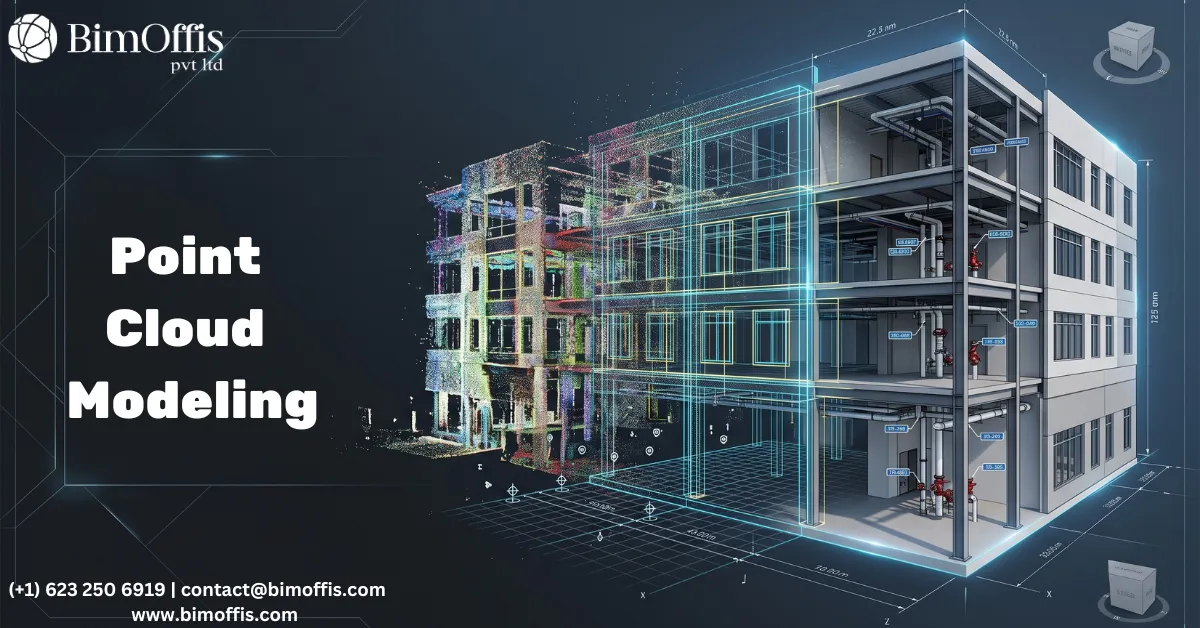
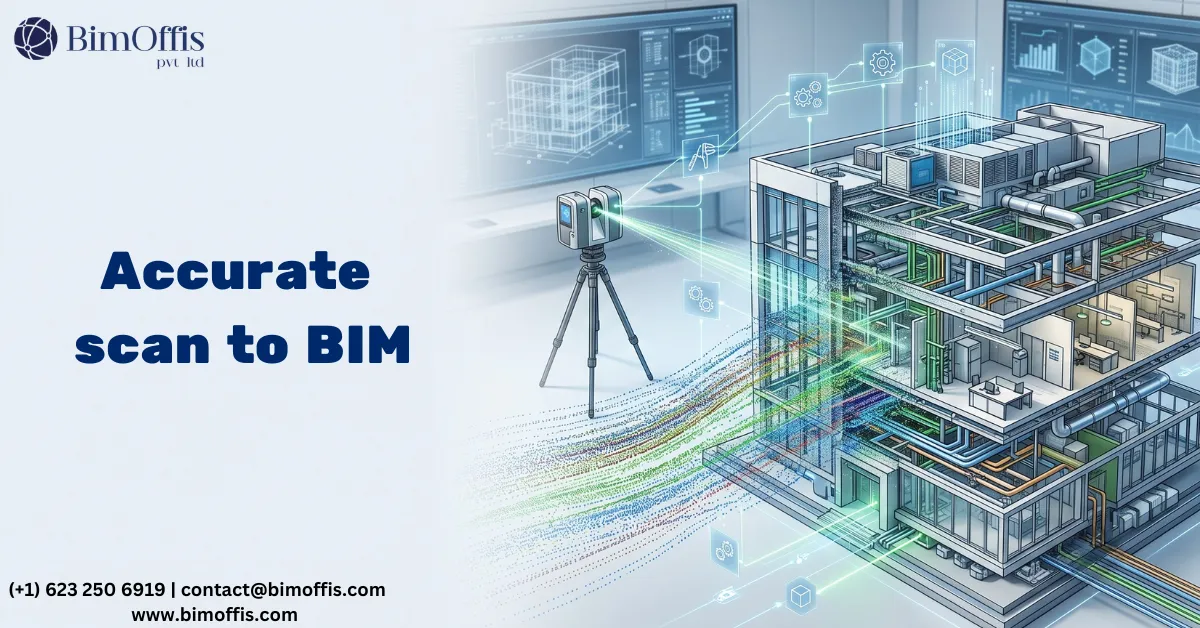
A 3D laser scanner gets set up at different positions inside and around the building. It fires laser pulses in every direction, millions of them, and records exactly how far each one travels before it hits a surface. Do that from enough positions and you build up what’s called a point cloud. Hundreds of millions of individual data points, each one representing a precise location on a real surface. Walls, columns, beams, floors, ceilings, pipe runs, duct work, all of it sitting there in three-dimensional space, measured to within a few millimetres of where it actually is.
Then a modeller takes that point cloud into Revit and starts building from it. Tracing the real geometry. Creating proper BIM elements, wall families, structural columns, MEP components, that sit exactly where the scan data says they should sit. Not where the original drawings said they should sit. Not where someone estimated they probably were. Where they actually are, right now, in the real building.
That’s the deliverable. A Revit model of existing conditions that you can trust.
Why a Tape Measure Just Doesn’t Work Anymore
Look, hand measuring still happens. On a tiny single-room project, it’s probably fine. But the moment a building gets even moderately complex, manual surveys start creating problems.
A tape measure can’t capture a curved facade accurately. It can’t tell you a floor has settled 40mm on one side without someone spending a long time checking levels room by room. It can’t get into a ceiling void without disruption. And critically, it takes a long time. A survey team working manually through a medium commercial building can burn several days on site. A laser scanner does the same building in hours.
For refurbishment projects running on tight access windows, a live retail environment, say, or a hospital where you can only get in overnight, that time saving isn’t just convenient. It’s sometimes the only way the survey is even possible.
And then there’s accuracy. Human error in manual measurement is real. One wrong figure on a sketch and suddenly a structural element is showing up 150mm from where it actually sits. That kind of thing doesn’t get caught until someone is on site trying to build to drawings that don’t match the building.
Where It Actually Gets Used
Old and Historic Buildings
Heritage buildings are almost never square. Floors settle. Walls aren’t plumb. Ceiling heights drift across a single room because the building has shifted and moved over a century or more. Trying to capture all of that with a tape and a notepad is an exercise in approximation.
The scanner doesn’t approximate. It records everything exactly as it sits. Every lean, every irregularity, every surface that isn’t quite where you’d expect it to be. The Revit model that comes out of that data gives architects and conservation specialists a genuine picture of the building, not an idealised version of it.
Office and Retail Fit-Outs
Probably the most common use case day to day. Client wants to fit out or refurbish a commercial space. The existing drawings are somewhere between inaccurate and completely missing. The design team needs to know what’s actually there before they can do anything useful.
Scan to BIM sorts that. The designers get a proper, structured Revit model of the existing conditions. They can start pulling out partitions, dropping in new layouts, checking whether a proposed ceiling height works against the ductwork that’s already up there, all of it in the model before anyone touches the real building.
MEP in Existing Buildings
Routing new services through a building that’s already full of existing systems is genuinely tricky. You often can’t see what’s in a ceiling void until you’re into it. Services clash with things nobody knew were there. Work stops while someone figures out a fix.
When existing MEP is modelled from scan data, new routes can be properly coordinated before installation starts. Same principle as clash detection on a new build, just applied to a building that already exists and is usually occupied.
Structural Extensions and Additional Floors
When an engineer needs to assess an existing structure for a proposed extension or roof addition, they need real numbers. Column positions, beam sizes, connection details. Decades-old drawings might be the only reference available, and there’s no guarantee they reflect what actually got built.
Scan to BIM gives structural engineers a reliable base to work from. Not assumed. Not approximate. Measured.
What the Model Actually Looks Like
Level of detail gets defined by LOD, Level of Development. It runs from rough massing geometry at the lower end up to fully detailed, data-rich element modelling at the higher end.
Most renovation and fit-out jobs land around LOD 300 to 350. That means walls, floors, ceilings, structural members, and main MEP systems, all properly modelled, accurately positioned, ready to design against and coordinate from. For most teams, that’s what they need.
Some projects push further. A heritage facade where every detail matters might need LOD 400 on specific elements. A quick feasibility study might only need basic LOD 200 geometry. The scan data doesn’t change, the modelling scope does.
Honest Things Worth Knowing Before You Start
Scanners only see what they can see. Ceiling voids, wall cavities, anything hidden behind fixed furniture, if the scanner can’t get line of sight to it, it doesn’t get captured. Services running through inaccessible spaces won’t be in the model. Assuming they aren’t there is a mistake people make more than once.
The scan is only as good as the modelling. Point cloud data is raw. A modeller still has to interpret it and build from it. A weak modeller with great scan data still produces a weak model. Who does the modelling and how carefully they do it matters a lot.
Agree on scope before anyone shows up. The version of this process that goes badly is when the client gets a model back and it doesn’t contain what they needed, because nobody had that conversation upfront. LOD, which systems are included, what gets excluded, sort all of that out before the scanner goes anywhere near the building.
Where This Leaves Things
Renovation and refurbishment work has always carried a baseline level of uncertainty. You never fully know what a building looks like inside until you open it up. Scan to BIM doesn’t eliminate that entirely, but it cuts it down significantly.
The teams doing this well aren’t having the same site surprises as everyone else. They’re designing from real data. Their coordination is cleaner. Their programmes run more predictably. It’s not magic. It’s just a better starting point than guessing from old drawings and hoping the building cooperates.
Ready to find out what your project will cost? Find out here.
Frequently Asked Questions from Clients
What is Scan to BIM?
It’s the process of laser scanning an existing building and converting that data into an accurate Revit model.
What is a point cloud?
A dense 3D map made of millions of laser measurement points that captures every surface of a building exactly as it is.
How accurate is 3D laser scanning?
It measures surfaces to within a few millimetres, far more accurate than any manual survey method.
How long does a laser scan survey take?
A medium-sized building can be fully scanned in a few hours, compared to several days with traditional hand measuring.
What LOD is typically delivered in Scan to BIM?
Most renovation and fit-out projects are delivered at LOD 300 or 350, detailed enough to design and coordinate from.
Can hidden services be captured in the scan?
No. The scanner only captures what it can see, ceiling voids, wall cavities, and blocked areas won’t appear in the model.