
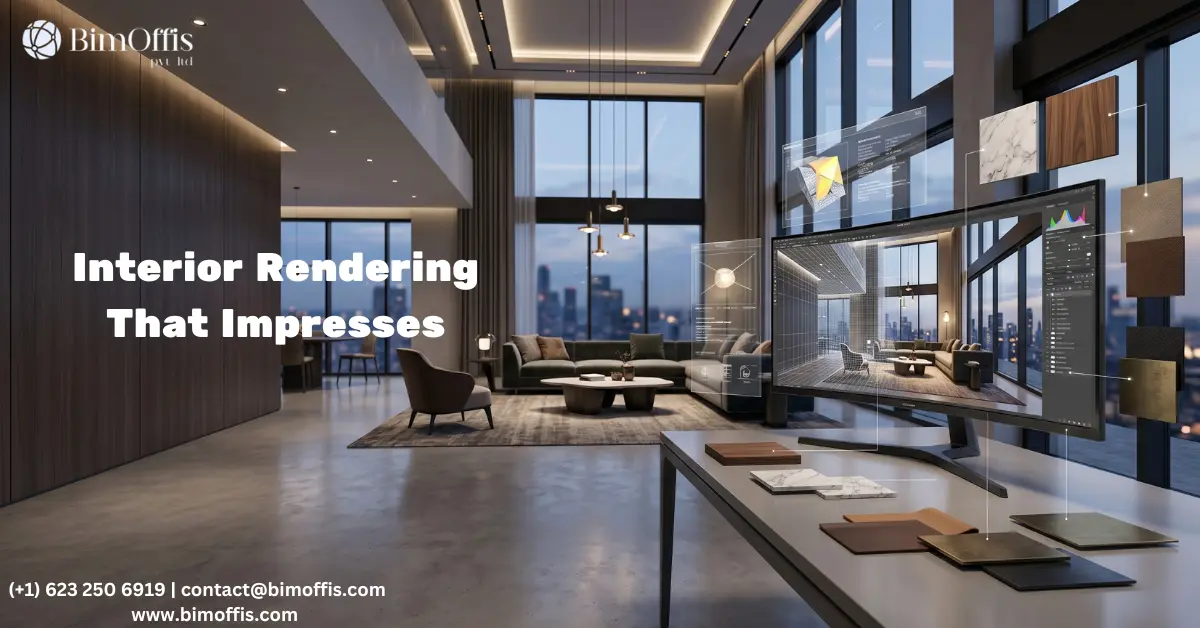
Nobody really warns you how humbling 3D interior rendering can be when you first start out.
You spend hours building a scene, placing the furniture perfectly, adjusting textures, and refining every little detail. Then you hit render, and the final image comes back looking like a video game showroom from 2007. Flat. Stiff. Lifeless. Something feels wrong, but it’s hard to identify exactly what it is.
I’ve been in that exact position more times than I’d like to admit.
At first, most people blame the software. Then the render engine. After that, the hardware becomes the problem. Eventually, you find yourself watching endless tutorials at midnight, convinced there’s some hidden setting you’re missing. In reality, the issue usually comes down to a few fundamentals that beginners often overlook.
Let’s break down the things that genuinely improve your renders. No filler. No unnecessary tricks. Just the fundamentals that actually matter.
Start With a Model That Feels Real
Get Your Proportions Right First
Before lighting, materials, or camera work, your model needs to feel spatially believable. It may sound boring, but this is the foundation everything else depends on.
Whenever a render feels “off,” the problem is often scale. A sofa might be slightly oversized. The ceiling may sit too low. Walls might have no thickness, making the entire space feel fake without viewers understanding why.
Real interiors follow real dimensions because they’re designed around human movement and comfort. When those proportions are inaccurate, people subconsciously notice it.
Here are a few standard dimensions worth remembering:
Sofas are typically around 85–90 cm deep
Dining tables usually sit at 75 cm high
Residential ceilings commonly range between 2.7–3 meters
Before moving on, check these details carefully:
Are you using actual manufacturer dimensions or estimating everything by eye?
Do your walls have realistic thickness?
Is there enough walking clearance between furniture pieces?
Does the ceiling height match the style and size of the room?
Getting these basics right already puts your work ahead of many beginner renders.
Lighting Is What Separates Good Renders From Great Ones
Decide What Time of Day Your Scene Exists In
Before placing a single light, ask yourself one important question: what time of day is this room supposed to exist in?
That single decision affects the entire mood of the scene.
Morning light feels cool and directional, creating long shadows and a calm atmosphere. Late afternoon lighting becomes warm and cinematic, which is why photographers love shooting interiors during golden hour. Overcast daylight produces soft, even illumination with very gentle contrast.
The exact same room can feel completely different depending on the lighting direction and color temperature.
Different Lighting Moods Create Different Emotions
Each lighting condition tells a different story:
Morning light creates freshness with cool tones and long shadows
Late afternoon lighting feels warm, cinematic, and inviting
Overcast daylight creates soft and balanced illumination
Evening scenes rely heavily on artificial lighting for mood
Choose one lighting direction and stay consistent with it throughout the scene. Mixing multiple times of day often makes a render feel visually confusing.
Layer Artificial Lighting Properly
One overhead light is one of the easiest ways to make a render look unrealistic.
Think about any comfortable real-world interior. Most spaces use layered lighting: a floor lamp near the sofa, pendant lights above a table, under-cabinet lighting in the kitchen, or a warm bedside lamp in the corner. Individually, these lights may seem subtle, but together they create depth and atmosphere.
Your render should work the same way.
Every artificial light source should feel intentional and believable within the space. If a light doesn’t have a clear purpose, remove it or reposition it.
Materials Are Where Most Renders Fall Apart
Observation Matters More Than Software
Bad materials are rarely caused by weak software. More often, they come from not studying real surfaces carefully enough.
If you haven’t observed how velvet reacts to light compared to linen, your materials will never feel convincing. The same applies to marble, metal, leather, wood, and glass. Realism starts with observation long before adjusting settings.
Keep real-world reference photos nearby while working. You’re not copying them exactly, you’re training your eye to recognize how materials behave in reality.
Common Material Mistakes
Certain material issues instantly make renders look artificial:
Wood floor textures scaled far too large
Fabric materials with overly shiny roughness values
Marble surfaces that look flat instead of having depth
Metal materials with no variation or directional reflection
Fixing these details creates a huge jump in realism.
Match Texture Scale to Real Dimensions
Texture scale is one of the most overlooked details in interior rendering.
A 60×60 cm floor tile should actually appear as a 60×60 cm tile inside your scene. If the scale feels wrong, viewers immediately sense that something is unrealistic even if they can’t explain why.
Cross-checking texture dimensions only takes a few minutes, but it dramatically improves the final result.
Camera Work Is a Design Decision
Use Natural Camera Height
Camera placement changes how viewers emotionally experience a space.
For most interior renders, placing the camera around 1.4–1.6 meters high feels natural because it matches normal human eye level. That perspective instantly feels believable.
Very low camera angles make rooms feel staged and dramatic, while extremely high angles flatten the space and remove immersion.
Choose the Right Focal Length
A focal length between 35mm and 50mm works best for most interiors.
Ultra-wide lenses often distort proportions and stretch rooms unnaturally. Even if viewers don’t consciously notice the distortion, the image can still feel visually uncomfortable.
Improve Your Composition
Strong composition adds depth and professionalism to a render.
Useful habits include:
Adding foreground elements like plants, curtains, or furniture edges
Avoiding perfectly centered compositions
Using floor lines, rugs, or beams as leading lines
Leaving negative space so the image can breathe
Small composition choices make scenes feel far more cinematic and natural.
Post-Production Should Stay Subtle
Good renders usually need very little post-production.
A slight exposure correction, a gentle contrast adjustment, and minimal color grading are often enough. If you’re spending hours fixing a render in Photoshop, the real issue probably exists inside the scene itself.
Improving lighting, materials, and composition inside the render engine will always create better results than trying to repair everything afterward.
What Actually Improves Your Renders
Better hardware helps. Faster render engines help too. But neither of those things are the real breakthrough.
The biggest improvement comes from learning to observe real spaces more carefully.
Pay attention to how afternoon sunlight moves across wooden floors. Study how fabric compresses on a sofa cushion. Notice how a room feels completely different at 8 AM compared to 6 PM.
That level of observation costs nothing, but it changes every render you create afterwards.
Ready to find out what your project will cost? Find out here.
Frequently Asked Questions from Clients
What is 3D interior rendering?
It’s the process of creating photorealistic images of interior spaces using 3D software before the space is actually built. Designers use it to show clients exactly how a room will look with real materials, lighting, and furniture.
Why is lighting so important in 3D interior rendering?
Lighting sets the entire mood of a scene, it’s what makes a render feel real or flat. Even perfect geometry and great materials won’t save a render if the lighting is wrong.
Why does my 3D interior render still look fake?
It almost always comes down to wrong proportions, unrealistic lighting, or materials that don’t match real-world values. Fix those three things and your render will immediately feel more believable.
What software is best for 3D interior rendering?
Popular choices include Blender, 3ds Max with V-Ray, SketchUp with Enscape, and Lumion, each with its own strengths. Pick one that fits your workflow and focus on getting really good at it.
How long does a 3D interior render take to complete?
A simple room scene takes around 3 to 6 hours, while a detailed complex space can take a full day or more. The more attention you give to lighting and materials, the longer it takes, but the results show it.
Do I need an expensive computer for 3D interior rendering?
A mid-range computer with a decent GPU handles most interior rendering projects just fine. Better hardware speeds up render times but will never fix bad lighting or poor proportions. Skills matter more than specs.







