
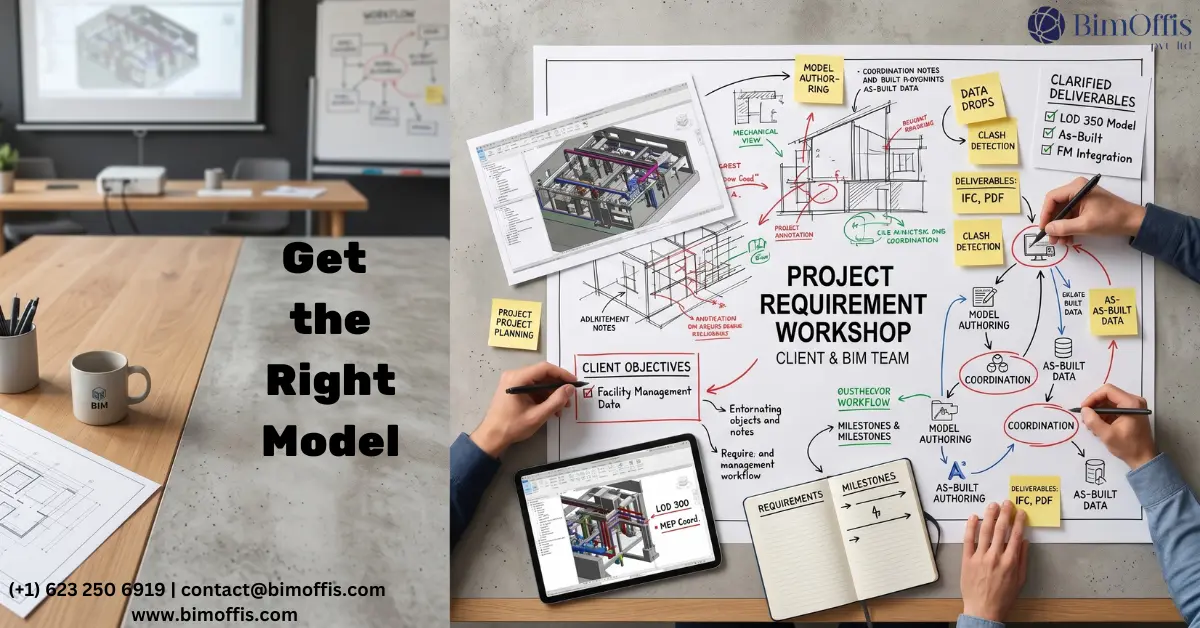
When BIM Projects Fail, the Problem Often Starts Before Modeling Begins
When a BIM project goes wrong, the first instinct is to blame the BIM team. The model does not match expectations. Coordination misses issues it should have caught. The deliverable arrives, and nobody can fully use it for what they need. Sometimes that failure sits with the team. More often, though, the BIM team delivered exactly what the brief requested. The real problem was that nobody clearly defined the right requirements from the start.
I have watched this happen repeatedly. A client walks away frustrated with a model that does not serve them. Meanwhile, the BIM team feels confused because they followed the brief exactly as written. Somewhere in the middle, a rushed or vague briefing conversation created the disconnect, often because the wrong people handled it.
Getting a BIM model that actually works for your project starts before anyone opens a software package. It starts with a proper conversation. Here is what that conversation needs to cover.
Start With Why, Not What
Almost every failed BIM brief begins with deliverables.
Give us a coordinated model
Give us a federated file
Give us a full BIM drawing set
At first glance, those instructions sound clear. In reality, they only describe outputs without explaining what those outputs must achieve. That gap between appearance and purpose is where projects start going sideways.
Before discussing deliverables, define the purpose behind the model. Why does this model exist? Think about it carefully.
Will it mainly catch clashes between structural and MEP systems before construction starts?
Will it support quantity takeoffs for cost planning?
Will the facilities management team use it for the next twenty-five years after handover?
Does it need to connect with structural analysis software?
Will the client use it for phasing visualizations?
Each purpose changes how the BIM team builds the model. A facilities management model requires rich data and asset information that a clash-detection model simply does not need. Likewise, a quantity takeoff model depends on family parameters that a visualization model may never use.
Without a clear explanation of purpose, the BIM team has to guess. Usually, they base those assumptions on the previous project they worked on rather than the specific needs of yours. Those assumptions can easily miss the mark.
Have the LOD Conversation Properly
Level of Development sounds technical, but in reality, it is a budget decision disguised as technical language.
LOD determines how much detail goes into the model at each stage. More detail means more time, more coordination, and more cost. Higher LOD is not automatically better. It only adds value when someone genuinely needs and uses that level of detail.
Many teams request LOD 400 everywhere because it sounds comprehensive. In practice, that often means paying for fabrication-level detail in areas where nobody benefits from it.
Most projects work perfectly well with:
LOD 300 across the majority of the model
Targeted LOD 400 only in critical fabrication areas
The cost difference between those approaches is significant.
Discuss this openly with the BIM team. Ask what each discipline truly needs to show at every stage of the project and who benefits from that detail. Honest conversations about requirements allow the BIM team to plan properly, price accurately, and focus effort where it matters most.
Write Down Every Discipline. Every Single One.
Many BIM scope disputes happen because teams imply discipline responsibilities instead of stating them clearly.
For example, a client may assume MEP sits within the BIM scope, while the BIM team believes they only need to model architecture and structure. Coordination then proceeds without MEP input. Six months later, site clashes appear that proper coordination could have prevented at a fraction of the cost.
A proper briefing conversation solves this in minutes.
Go through every discipline involved in the project and define:
Whether the BIM team is modeling it directly
Whether they are coordinating against an external consultant’s model
Whether the discipline sits outside the BIM scope entirely
Document every decision clearly and confirm that all parties understand it.
Anything left open to interpretation in a brief eventually turns into a problem. The only uncertainty is how expensive that problem becomes.
Understand That Modeling and Coordination Are Not the Same Thing
This misunderstanding causes more disappointment on BIM projects than almost anything else.
Modeling
Modeling creates geometry and produces the model itself.
Coordination
Coordination is an ongoing management process. It involves:
Combining discipline models
Checking them regularly
Running coordination meetings
Resolving clashes
Tracking issues
Ensuring every resolution flows back into the live models correctly
A project can have a beautifully modeled BIM file that still fails because nobody coordinated it properly. The consequences usually appear on site when systems physically cannot fit together.
During briefing, ask detailed questions about the coordination process itself:
How frequently will the team run clash detection?
Who attends coordination meetings?
Who has authority to make design decisions?
How does the team log and track issues?
How do approved changes return to each discipline model?
What happens when clashes involve consultants outside the BIM scope?
Specific answers matter. Vague coordination processes during briefing usually become weak coordination processes during delivery.
Deal With the Practical Stuff in Week One
Software versions, file formats, CDE platforms, naming conventions, template files, and BIM standards may not sound exciting, but they matter far more than most teams realize.
Address these questions immediately:
Which version of Revit will the project use?
Which CDE platform manages the files?
What standards or templates must the BIM team follow?
Which file formats are required for deliverables?
What naming conventions does the client or contractor expect?
If the model arrives in the wrong format or follows the wrong structure, somebody must fix it later, usually during the busiest and most stressful stage of the project.
Ten minutes of practical discussion in week one prevents hours of unnecessary rework later.
Define Handover Before the Project Starts, Not Before It Ends
This mistake still happens far too often.
Teams frequently define handover requirements during the final month of a project that has already been running for years. At that point, the BIM team can only provide whatever they manage to complete within the remaining time. That outcome rarely matches what the client truly needs.
Instead, define handover requirements in the original brief.
Clarify exactly what a completed handover includes:
Model files and exported drawings
Schedules and quantity data
An as-built model reflecting construction changes
A COBie export compatible with the FM platform
Training sessions for the facilities management team
Every one of those requirements affects how the BIM team structures the model from day one.
If the team understands early that the project needs a fully populated FM-ready model with complete asset data, they can build toward that goal throughout the project lifecycle. Discovering those requirements a month before completion creates avoidable problems.
The Honest Bottom Line
Briefing a BIM team properly is not technically complicated. It does not require expert BIM knowledge. It simply requires clarity about details that many teams leave vague because vague conversations feel easier in the moment.
Define:
Why the model exists
The required LOD at each stage
Every discipline explicitly
Modeling and coordination separately
Software and file-management standards early
Handover expectations before work begins
When you cover those points properly, the BIM team has everything they need to deliver a model that genuinely supports the project.
Leave gaps in the brief, and those gaps eventually become expensive problems, usually at the worst possible moment.
Get the brief right, and everything else becomes easier because of it.
Ready to find out what your project will cost? Find out here.
Frequently Asked Questions from Clients
Why do BIM projects often fail?
Because the project brief was unclear, incomplete, or missing key requirements.
Why is defining the model purpose important?
The model purpose decides how the BIM team builds and structures the project.
Does higher LOD always mean a better model?
No, higher LOD only adds value when the extra detail is actually needed.
How does BIM catch errors before manufacture?
Everything sits in one model. Structural geometry, MEP penetrations, reinforcement, and connections all coordinate together. Conflicts show up on screen, not on site.
Why should every discipline be listed in the brief?
Clear discipline scope avoids coordination gaps and costly site conflicts later.
What is the difference between modeling and coordination?
Modeling creates the geometry, while coordination checks and resolves clashes between disciplines.







