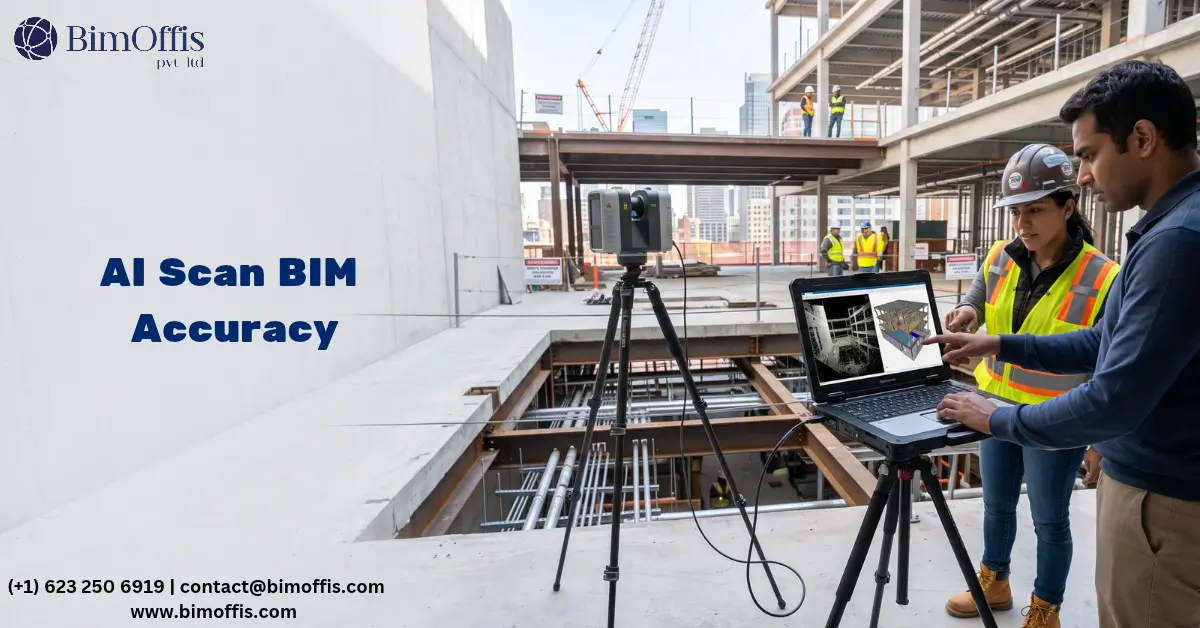
AI in scan to BIM is changing what is achievable in existing building documentation. In fact, it is doing so in ways that are genuinely practical, not just conceptually impressive.
Let me start with the honest context for this.
The scan to BIM process has always had a quality ceiling. Two things determine it: the accuracy of the laser scan data, and the skill of the modeler interpreting it. Because scanning equipment has improved, high-quality scanners now produce dense, accurate point clouds. Skilled modelers then build BIM elements from those point clouds that faithfully represent the real building. As a result, good data plus expert interpretation produces models that project teams can rely on.
However, the interpretation stage has always been time-consuming and expensive. It also depends on human judgment, and that judgment varies between individuals and between teams. For example, a modeler looking at a complex point cloud must make hundreds of decisions. They classify elements and decide where boundaries sit between adjacent objects. In addition, they handle ambiguous geometry, where the scan does not clearly show what an element is.
This is where AI comes in. Because it automates large parts of the interpretation stage, it reduces the time the process takes. It also cuts down on errors that human judgment introduces, and it enables accuracy levels that manual modeling alone cannot consistently achieve.
What AI Actually Does in the Scan to BIM Process
Automated Point Cloud Segmentation
The most significant contribution AI makes to scan to BIM accuracy is automated point cloud segmentation. This is the process of dividing the raw point cloud into groups of points. Each group belongs to a specific element, such as walls, floors, ceilings, columns, beams, pipes, or ducts.
In a manual workflow, a modeler does this segmentation visually, examining the point cloud and identifying what each cluster of points represents. For straightforward geometry in accessible spaces, this is relatively fast and reliable. However, complex environments are different, because dense overlapping systems, irregular geometry, and ambiguous boundaries make the process slow and error-prone.
AI-powered segmentation algorithms analyse the geometric and spatial characteristics of point cloud data. As a result, they can identify and classify clusters of points automatically. For instance, cylindrical geometry gets classified as a pipe. Similarly, a flat cluster at a consistent height becomes a floor, and vertical, flat clusters are classified as walls.
Naturally, this automated classification is not perfect. Still, it is significantly more consistent than manual interpretation across large datasets, and significantly faster. Consequently, the modeler’s role shifts from performing segmentation manually to verifying and correcting the AI’s output. Overall, the result is faster processing and more consistent accuracy across the entire point cloud, not just in the areas the modeler focuses on most.
Automated Element Extraction and Modeling
Beyond segmentation, AI tools are increasingly capable of extracting specific element types from the point cloud. In other words, they generate BIM geometry from that data automatically.
For example, pipe extraction tools can identify cylindrical geometry in a point cloud. They determine pipe diameter and trace the pipe run through the building. In addition, they identify fittings at changes of direction, and generate a preliminary BIM model of the piping system automatically. Of course, this generated model is not complete or perfect. Instead, it provides a starting point that the modeler refines, rather than a blank canvas they populate from scratch.
Similarly, automated extraction is available for structural steel, walls, floors, and ductwork. However, accuracy varies between element types and the complexity of the scanned environment. Simple, well-defined geometry extracts reliably, whereas complex, cluttered environments with overlapping elements still challenge current AI capabilities and require significant manual refinement.
Quality Checking and Deviation Analysis
AI tools also contribute to scan to BIM accuracy through automated quality checking and deviation analysis. Once a BIM model is built, AI-powered comparison tools can check it against the point cloud automatically. Because of this, they identify locations where the model deviates from the scan data beyond a set tolerance.
As a result, this automated checking is significantly faster than manual quality checking, and more thorough. A manual quality check focuses on the areas the reviewer examines, whereas an automated check covers the entire model at once, flagging every deviation above the threshold, no matter where it sits in the building.
Furthermore, AI-powered deviation analysis produces colour-coded visualisations. These show the magnitude and distribution of deviations between the model and the point cloud, across the entire project. Therefore, the quality checking teHow Al Enhances the Accuracy of Scan to BIM Models?am gets a clear picture of where the model needs refinement, instead of having to find deviations through manual review alone.
The Real Impact on Scan to BIM Accuracy
Consistency Across Large Datasets
One of the most significant accuracy benefits AI brings to scan to BIM is consistency across large datasets. Typically, a human modeler working through a large point cloud applies their skills consistently where they are most engaged. However, in areas where fatigue, distraction, or sheer volume of work affects focus, consistency drops.
By contrast, AI tools apply the same algorithms consistently across the entire dataset, regardless of size. Because of this, classification decisions made at the start of a run are made with the same consistency at the end. This does not mean AI is always right. Rather, it means AI is consistently wrong in the same ways, and that is easier to identify and correct than human inconsistency, which varies in both direction and magnitude.
This consistency benefit matters most for large existing buildings. For instance, consider a hospital with dozens of floors, an industrial facility with complex MEP infrastructure, or a heritage building with irregular geometry. In each case, AI-assisted processing helps in ways purely manual modeling cannot match at equivalent speed.
Reducing Human Interpretation Errors
Manual scan to BIM modeling introduces errors at the interpretation stage, when modelers make incorrect judgments about what the point cloud shows. For example, an irregular cluster of points near a wall might be a structural element, a pipe chase, a built-in piece of furniture, or construction debris. Since the modeler has to make a judgment call, that judgment is sometimes wrong.
By comparison, AI tools are trained on large datasets of point cloud data and corresponding BIM models. Because they have seen many examples of these ambiguous situations, they learn from them over time. As a result, their classification decisions in ambiguous cases are more often correct than a modeler encountering the same ambiguity for the first time. They are also more consistent than a modeler whose interpretation varies with experience, fatigue, and context.
Of course, this does not mean AI eliminates interpretation errors. Instead, it means AI reduces how often they happen, and makes the remaining errors easier to catch through deviation analysis and quality checking.
Where AI in Scan to BIM Works Best
MEP-Dense Existing Buildings
AI-powered pipe and duct extraction tools work best in environments with dense MEP infrastructure. This is because manually tracing individual pipe and duct runs through a complex point cloud takes significant time. Consequently, industrial facilities, healthcare buildings, and data centers with complex existing MEP systems see the biggest time and accuracy benefits from AI-assisted extraction.
Large-Scale Survey Projects
Survey projects covering large areas of existing buildings also benefit significantly from AI-assisted processing. Think, for example, of entire hospital campuses, large commercial complexes, or industrial plants with multiple interconnected structures. In these cases, the scale that makes manual processing prohibitively slow is exactly where AI’s speed and consistency advantages matter most.
Repetitive Geometry
Similarly, AI extraction tools perform best on repetitive geometry. Think of a building with many identical structural bays, a residential tower with similar floor layouts, or an industrial facility with repeated equipment arrangements. Because these patterns are consistent, they are what AI tools identify most reliably. Therefore, scan to BIM projects with repetitive geometry see the highest accuracy and speed benefits from AI-assisted processing.
The Honest Limitations
AI in scan to BIM is genuinely useful. At the same time, it is also genuinely limited, in specific ways that matter for BIM project teams deciding whether and how to use it.
Currently, AI tools perform much better on well-defined, clearly visible elements than on ambiguous, occluded, or cluttered geometry. For instance, a well-lit, accessible space with clearly visible elements gives AI tools the data quality they need to classify and extract accurately. A cluttered plant room, however, is a different story, because dense overlapping services, poor access, and partial occlusion challenge current AI capabilities significantly.
Furthermore, AI tools do not understand context the way experienced human modelers do. Specifically, a modeler who understands a building’s design and the conventions of its type brings contextual knowledge to ambiguous decisions, which AI tools cannot yet replicate. For example, they know an element type does not typically appear in a specific location, and treat the ambiguous point cluster accordingly. AI tools, by contrast, decide based on geometric characteristics rather than context.
The Bottom Line
Overall, AI in scan to BIM is making the process faster, more consistent, and more accurate than purely manual approaches, in the areas where current tools work well. Segmentation, done automatically, reduces manual interpretation time and improves consistency. Likewise, extraction, done automatically, provides starting points that modelers refine rather than build from scratch. Meanwhile, quality checking, done automatically, delivers more thorough deviation analysis than manual review can achieve efficiently.
In short, the project teams and providers getting the most from AI in scan to BIM are the ones using it where it works best. They apply human expertise where it is still superior, and combine the two to produce results that neither approach achieves as effectively alone. Ultimately, that combination is where the real accuracy improvement lives, and it is where the scan to BIM process is heading.
Improve Scan to BIM accuracy with smarter AI-driven workflows that help detect errors, process point clouds, and create reliable BIM models faster.
Frequently Asked Questions from Clients
How does AI improve Scan to BIM accuracy?
AI improves accuracy by automating point cloud segmentation, element extraction, and deviation analysis.
Can AI automatically create BIM models from point clouds?
AI can automatically extract certain elements and create preliminary BIM geometry that modelers can refine.
How does AI help with point cloud segmentation?
AI identifies and classifies point cloud clusters as elements such as walls, floors, pipes, ducts, and columns.
Can AI detect errors in Scan to BIM models?
Yes, AI-powered deviation analysis compares the BIM model with point cloud data and identifies deviations beyond specified tolerances.
Where does AI work best in Scan to BIM?
AI works particularly well with MEP-dense buildings, large-scale surveys, and projects containing repetitive geometry.
Can AI completely replace BIM modelers?
No, human expertise remains essential for handling ambiguous geometry, context, and complex areas that AI cannot reliably interpret.