Introduction
Building Information Modeling has become one of the biggest shifts in how the AEC industry handles construction and design projects. BIM lets professionals build detailed 3D models packed with data on a building’s physical and functional characteristics, which in turn improves efficiency and collaboration across a project.
As demand for BIM tools keeps growing, it becomes important to know which software actually fits your needs. Whether you’re a fresher or a working professional, several free and paid BIM tools can boost your workflow. This blog walks through the top free BIM software options worth knowing about.
What is BIM?
BIM stands for a digital representation of a building project’s physical and practical characteristics. It plays a major role in today’s construction world because it helps teams avoid costly mistakes through clear visualization and real-time updates at every stage of a project’s life. As a result, BIM keeps communication smooth while also supporting efficiency and cost control during design, construction, and even a building’s day-to-day use.
Is BIM Free Software?
BIM itself isn’t a single piece of software; rather, it’s an approach carried out through different tools. Plenty of BIM software solutions exist, ranging from completely free tools built for beginners to premium platforms designed for professionals and enterprises. The real differences between them come down to features, support, and scalability.
List of Free BIM Software
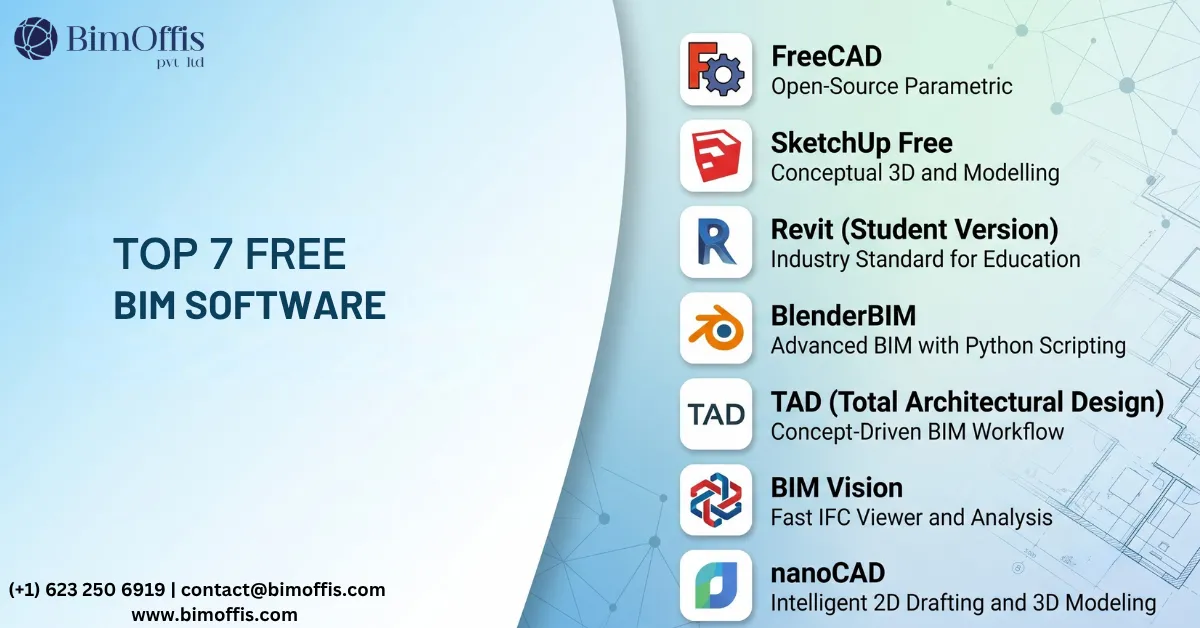
FreeCAD
FreeCAD is free and open-source software that can design buildings and infrastructure. It suits beginners who want to learn 3D modeling and the basics of BIM. Because it stays open, users can also build plugins to extend its functionality.
SketchUp Free
This is a free online version of the popular 3D modeler, and it runs directly in your web browser. It works great for simple architectural design, though it isn’t as functionally robust for advanced BIM as its paid counterpart.
Revit Student Version
Revit offers students a completely free version of the software, and it provides all features for educational purposes. This makes it the best avenue for students to gain practical experience with one of the leading BIM solutions in the industry.
BlenderBIM
BlenderBIM is another free BIM tool, and it adds BIM functionality to a very powerful modeling engine called Blender. This makes it the ultimate solution for anyone who wants to try BIM while staying in the comfort zone of familiar 3D modeling tools.
TAD (The Architect’s Desktop)
TAD is a free conceptual building design tool for architects, and it facilitates conceptual building design. Though simple, it can still assist at early-stage modeling.
BIM Vision
BIM Vision is a free IFC viewer, and it helps users view and analyze BIM models without needing any expensive software.
nanoCAD
nanoCAD is free basic CAD software with some BIM functions built in, and this can prove very helpful for small firms and individuals.
Pros and Cons of Using Free BIM Tools
Advantages:
- Saves money compared to paid platforms.
- Gives novices and students easy access to BIM.
- Works well for small-scale projects.
Limitations:
- Offers fewer features than paid options.
- Comes with less technical support.
- Runs into scalability issues on larger projects.
Conclusion
Free BIM tools offer a genuine starting point for students, beginners, and small teams looking to build real skills without spending money upfront. Each tool covered here serves a different purpose, from full-featured student licenses like Revit to lightweight viewers like BIM Vision. Try a few of them, see which one matches your workflow, and upgrade to a paid platform only once your projects genuinely outgrow what the free version offers.
Find the best BIM solution for your workflow by speaking with our BIM experts before starting your next project.
Frequently Asked Questions from Clients
What is free BIM software for Windows?
It is BIM software that runs on Windows and is available at no cost.
Which is the best free BIM software for Windows?
FreeCAD, BlenderBIM, BIM Vision, and OpenBuildings Viewer are popular options.
Is free BIM software suitable for professionals?
It works well for learning and smaller projects, while advanced projects often require paid tools.
Can students use free BIM software?
Yes, free BIM software is ideal for students and beginners.
What features does free BIM software offer?
Most include 3D modeling, model viewing, IFC support, and basic collaboration.
Does free BIM software support IFC files?
Yes, many free BIM tools support the IFC open file format.