
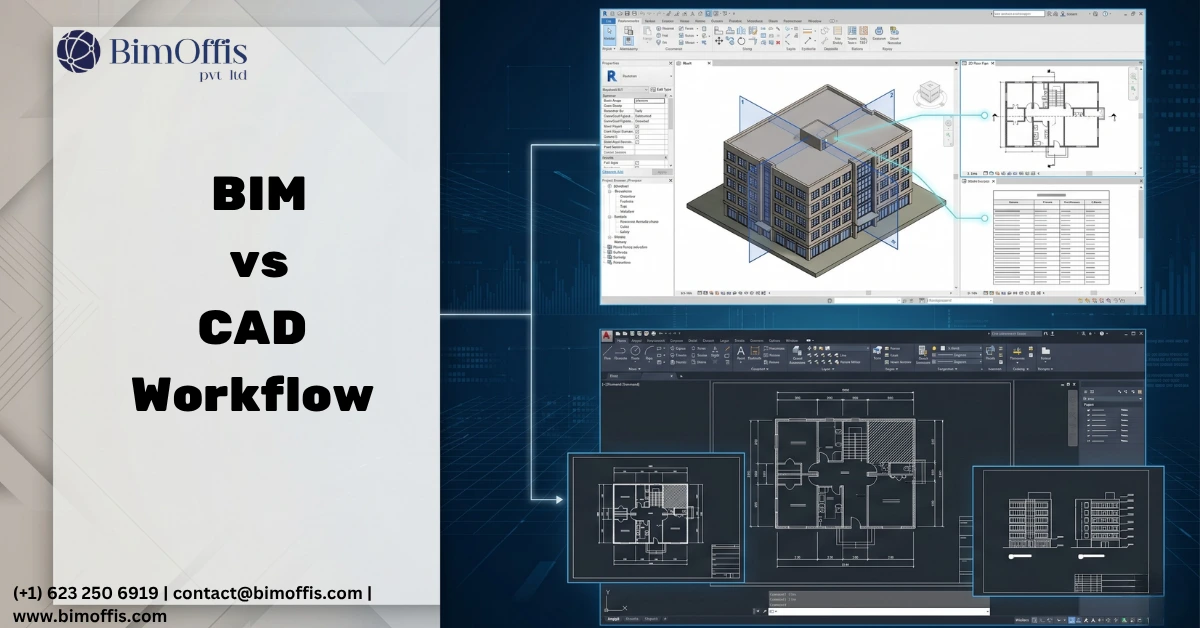
Let me start with a conversation I have heard in architecture and engineering offices more times than I can count.
Someone from management suggests the firm needs to move to Revit. Someone from production pushes back. We already have AutoCAD. Everyone knows it. Our whole drawing archive is in it. Why are we fixing something that is not broken?
And honestly, that pushback is not unreasonable. AutoCAD has been running design workflows for decades. Most firms have staff who genuinely know it well, templates built around it, and years of project files living in it. The idea of disrupting all of that for a new platform feels risky, and the people raising concerns are not wrong to raise them.
But here is the thing. The conversation usually rests on a comparison that does not quite hold up. Revit and AutoCAD are not the same type of tool doing the same job in different ways. They are fundamentally different tools built for fundamentally different purposes. Once that is clear, the question of which one to use becomes much less like a debate and much more like a straightforward decision about what your project actually needs.
What AutoCAD Is and What It Does Well
AutoCAD is a drafting tool. A very good one. You use it to produce precise drawings, lines, arcs, dimensions, text, blocks. Everything you create is explicit geometry that you draw and organise yourself. The tool does not know what anything is. A line representing a wall and a line representing a property boundary look identical to AutoCAD. You decide what everything means and how to manage it.
Where AutoCAD Genuinely Excels
That might sound like a limitation but it is actually a strength in the right context. AutoCAD is flexible in a way that object-based platforms are not. You can draw anything without the software trying to impose structure on what you are creating. For certain types of work, that flexibility is exactly what you need.
AutoCAD genuinely works well for:
- 2D technical drawing production where flexibility and drafting precision matter most
- Civil and survey work where the design does not consist of building objects
- Shop drawings and fabrication details for trades needing precise 2D geometry
- Smaller firms or projects that do not require multidiscipline BIM coordination
Where AutoCAD Falls Short
The real limitation shows up on larger, more complex work. AutoCAD drawings are static and separate. A floor plan is one file. A section is another. An elevation is another. When the design changes, someone has to manually update every affected drawing.
On a project with a hundred drawing sheets and a design changing weekly throughout development, that manual reconciliation becomes a significant source of time loss and error. Things get out of sync. Someone updates the plan and forgets the section. The drawing set starts telling slightly different stories in different places, and that inconsistency creates problems during construction.
What Revit Is and What It Does Differently
Revit is not a drafting tool. It is a modeling platform where the building exists as a collection of intelligent objects rather than drawn lines.
How Revit Thinks About a Building
When you place a wall in Revit, you are not drawing two parallel lines. You are placing a wall object that knows it is a wall, knows what it consists of, knows what levels it spans between, and knows how it relates to the floors, ceilings, and other walls around it. A door is not a symbol on a plan. It is a parametric object carrying its dimensions, fire rating, hardware specification, and any other data the project requires.
Because everything in the model is an intelligent object, Revit can produce every view of the building from the same source. Floor plans, sections, elevations, ceiling plans, schedules, quantity takeoffs, all of them derive from the model. Change something in the model and every view showing that part of the building updates automatically. The section reflects the change. The elevation reflects the change. The door schedule reflects the change.
Why That Coordination Matters
That automatic coordination is the thing that changes how large projects actually run. In AutoCAD, you maintain coordination manually across separate drawings and hope nothing falls through the cracks. In Revit, the model maintains coordination automatically because there is only one source of truth. That difference sounds straightforward but its practical impact on a large project is enormous.
Where the Difference Actually Shows Up
The place where BIM vs CAD matters most in practice is coordination between disciplines.
On any complex building project, structural engineers, MEP consultants, and architects all design their systems in parallel. The architect plans ceiling heights. The structural engineer sizes beams. The MEP consultant routes ductwork. All three need that ceiling void to accommodate their work simultaneously, and all three make assumptions about what the others are doing.
The AutoCAD Coordination Problem
In an AutoCAD workflow, these disciplines produce separate drawing sets and then try to coordinate by overlaying them, manually checking for conflicts, and sending marked-up drawings back and forth. It works up to a point. Obvious conflicts get caught. The subtle ones get discovered on site. And on a construction site, discovering a coordination failure costs significantly more than discovering it at a desk.
How BIM Changes This
In a Revit-based BIM workflow, all three discipline models exist in the same coordinated environment. Automated clash detection runs across all of them simultaneously and flags every conflict. The structural beam sitting in the duct route shows up as a clash on a screen during a coordination meeting, not as a problem on site with trades standing around waiting for a resolution. That is a genuinely different experience of construction coordination, and the value of that difference compounds on every complex project.
The Honest Picture for Most Firms
Most firms are not making a clean choice between AutoCAD and Revit. They run both and figure out which projects go where.
Legacy work and certain specialised project types continue to run in AutoCAD. Complex building projects and any work with BIM requirements run in Revit. The practical challenge is not picking a winner but building genuine Revit capability alongside existing AutoCAD workflows without breaking everything in the transition.
Why the Transition Matters
That transition matters enormously. Firms that jumped into Revit without proper training, without well-built template files, without a content library of properly built families, found the experience genuinely painful. The platform did not deliver what it promised because the foundational work needed to make it deliver was not done first.
Firms that invested properly in building that foundation, trained staff, good templates, quality family content, clear standards, found that Revit does exactly what it is supposed to do. Documentation stays coordinated through design changes. Schedules pull accurate data from the model. Coordination between disciplines catches problems before they reach the site.
The Simple Version
AutoCAD is a powerful drafting tool that works very well for what it was designed to do. Revit is a modeling platform that works very well for what it was designed to do. They were designed to do different things.
For 2D technical drawing, civil work, shop drawings, and projects that do not require multidiscipline BIM coordination, AutoCAD is a legitimate and practical choice. For complex building design where documentation needs to stay coordinated through continuous design changes and where clash detection between disciplines needs to happen before construction, Revit is what actually serves those needs.
The firms that have figured this out use both, for the right work, rather than forcing everything through one tool or treating the choice as a battle with a single winner.
Still using AutoCAD for complex projects? See how much a BIM-powered workflow could save you. Get your free quote here.
Frequently Asked Questions from Clients
What is the main difference between BIM and CAD?
CAD produces static drawings you manage manually, while BIM creates an intelligent model where all views, schedules, and documentation update automatically from one coordinated source.
Is Revit better than AutoCAD?
Neither is universally better, AutoCAD excels at 2D technical drafting and civil work, while Revit excels at complex building design requiring multidiscipline coordination and automatic documentation.
Can AutoCAD handle large complex building projects?
It can produce the drawings, but manually maintaining coordination across hundreds of drawing sheets as the design changes is time-consuming, error-prone, and significantly slower than a coordinated BIM model.
Why do firms still use AutoCAD if Revit is more advanced?
Because AutoCAD genuinely suits certain project types, most firms have existing workflows and staff trained in it, and not every project requires the coordination capability that Revit provides.
How does Revit improve coordination between disciplines?
All discipline models sit in the same coordinated environment, so automated clash detection finds every conflict between architectural, structural, and MEP systems during design rather than during construction.
What does a firm need to transition from AutoCAD to Revit successfully?
Proper staff training, well-built template files, a quality family content library, and clear BIM standards, firms that skip this foundation find the transition painful and the platform underperforming.







